
Ensure optimal sales and service coverage as your business grows when you add areas and their assignments to territory models in Territory Planning.
Required Editions
| Available in: both Salesforce Classic (not available in all orgs) and Lightning Experience |
| Available in: Professional, Enterprise, Performance, Unlimited, and Developer Editions with Web Services API enabled |
| User Permissions Needed | |
|---|---|
| To modify alignment options: |
Sales Planning Ops Analyst permission set AND Query for Datapipelines User for Sales Planning permission set AND SF Maps Territory Planning for Sales Planning permission set |
- Open an alignment and set the focus.
-
Click Add Area, and then specify the area’s name, parent area,
owner, and color. Define any assignment rules, optimization settings, and assigned users.
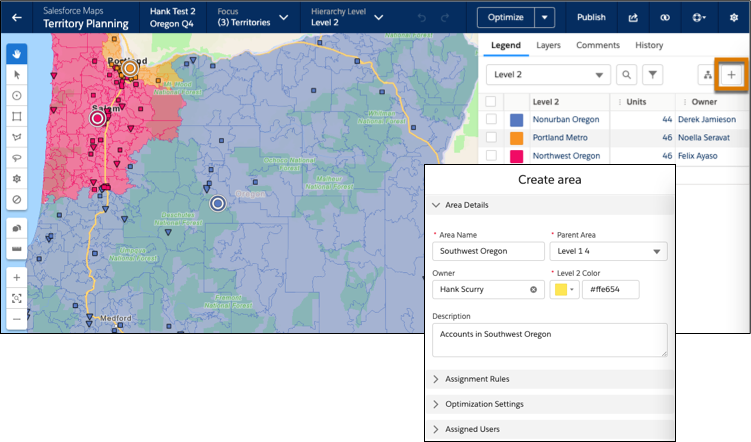
- Save your changes. To add more areas, repeat Step 2.
-
If you don’t use assignment rules, optimize the focus using a priority of your choice. Then
review the summary.
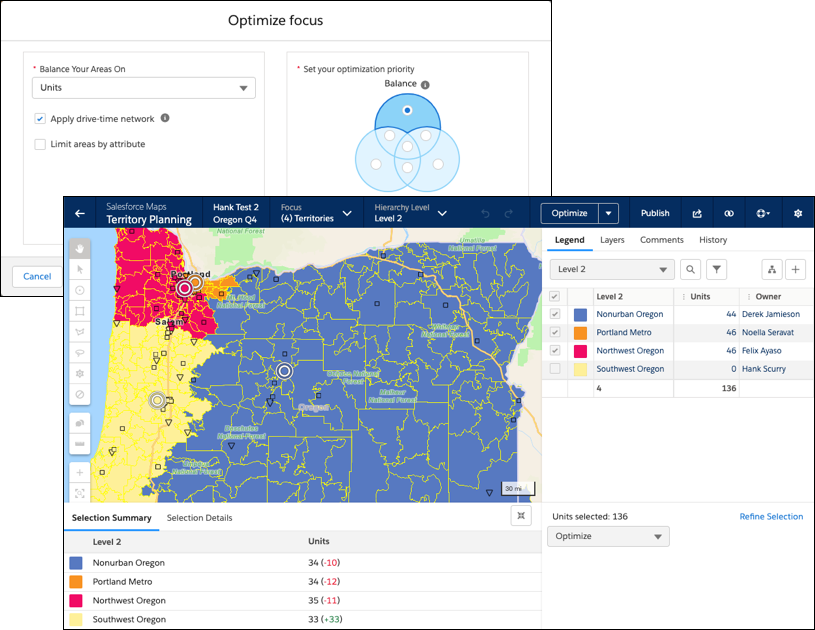
-
Apply your changes.
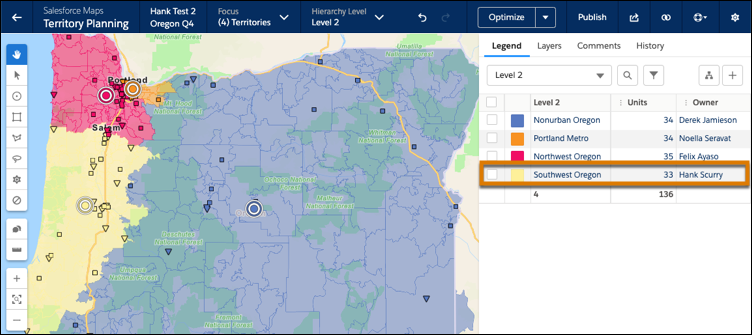 The new area and its assignments appear on the legend.