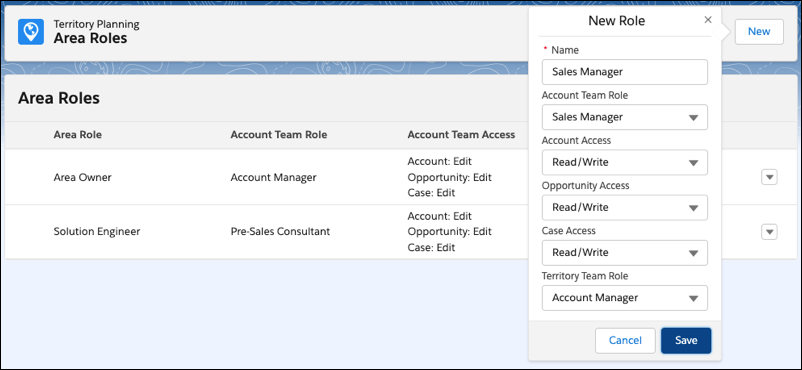
Specify the account team roles that you want available when assigning users and their
roles to areas in Territory Planning. Create any other roles that fit with your territory planning
efforts.
Required Editions
| Available in: both Salesforce Classic (not available in all orgs) and Lightning Experience |
| Available in: Professional, Enterprise, Performance, Unlimited, and Developer Editions with Web Services API enabled |
| User Permissions Needed |
| To manage Territory Planning options in the Salesforce Maps package: |
Customize Application |
-
From Setup, in the Quick Find box, enter Installed Packages, and
then select Installed Packages.
-
Next to the Salesforce Maps package, click Configure.
-
Under Territory Planning, click Area Roles.
-
Set access levels for the roles that you want available for territory assignments. Create
any other roles that apply to your territories.
-
Save your changes.