
Structure your model so that subordinate areas support leadership goals within top-level areas in Territory Planning. Branch top-level areas into smaller ones, such as districts, states, and postal codes. Then distribute units in a way that gives you the best chances of meeting and exceeding leadership goals.
Required Editions
| Available in: both Salesforce Classic (not available in all orgs) and Lightning Experience |
| Available in: Professional, Enterprise, Performance, Unlimited, and Developer Editions with Web Services API enabled |
| User Permissions Needed | |
|---|---|
| To modify alignments: |
SF Maps Territory Planning permission set OR SF Maps Territory Planning for Sales Planning permission set (after you purchase Sales Planning) |
-
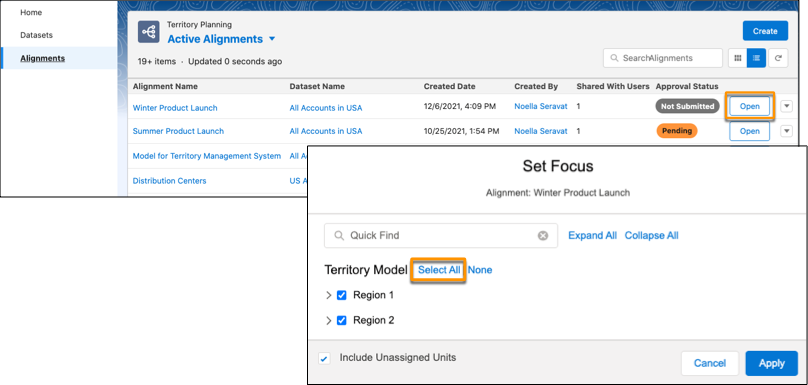
Open an alignment that includes the top-level areas you want to branch into smaller areas.
Select all the top-level areas, select Include Unassigned Units, then
click Apply.The top-level areas and unassigned units appear on the map and its legend.
-
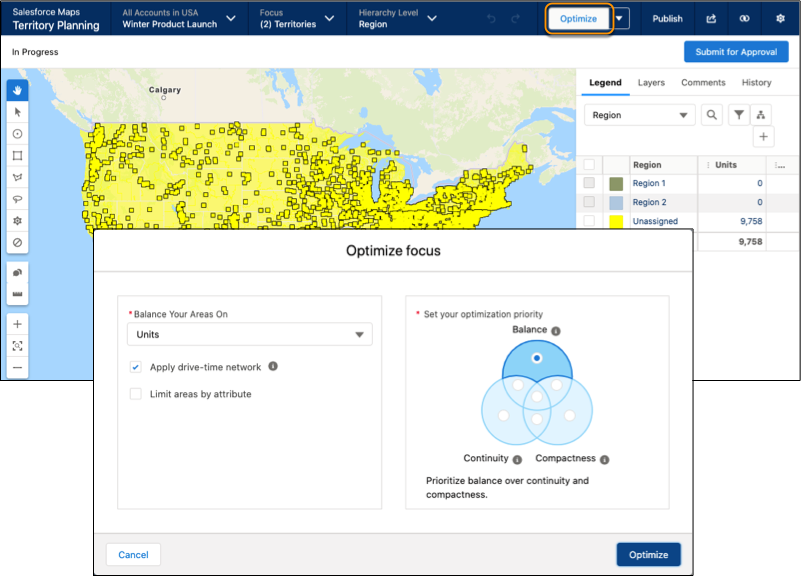
Click Optimize, then set your optimization priority. For example, to
distribute units equally among top-level areas, select Balance, then
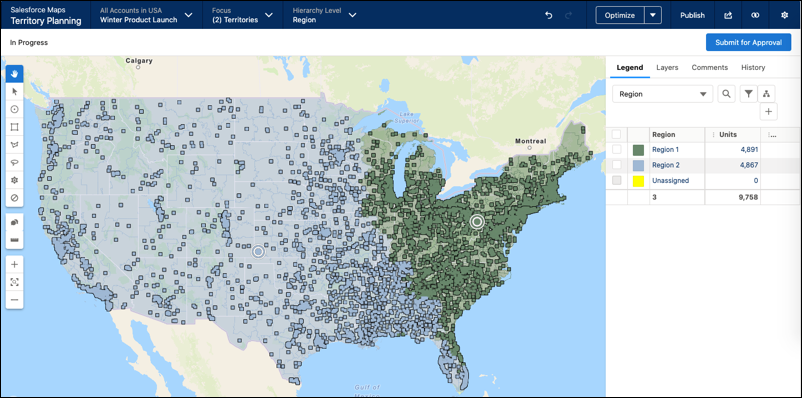
optimize the alignment.Territory Planning assigns units to the top-level areas based on the optimization priority that you set.
-
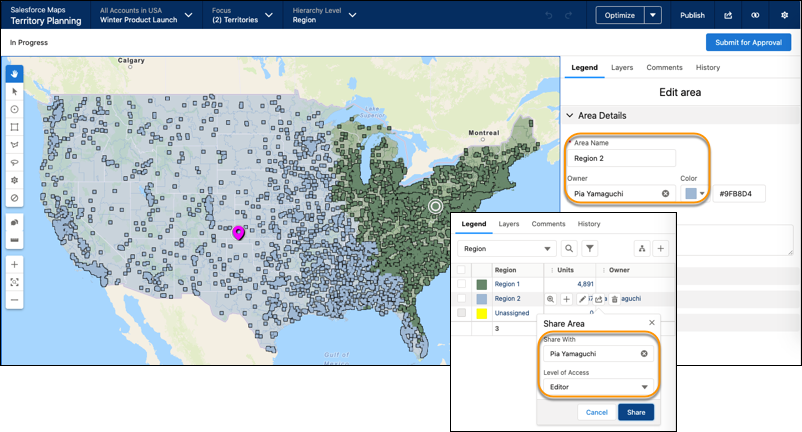
Assign owners to the top-level areas, then give editor access to those owners for their
areas. The owners can define their territory structures.
-
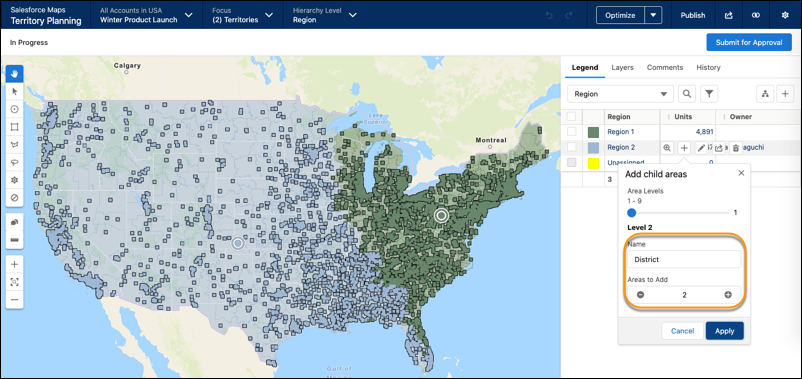
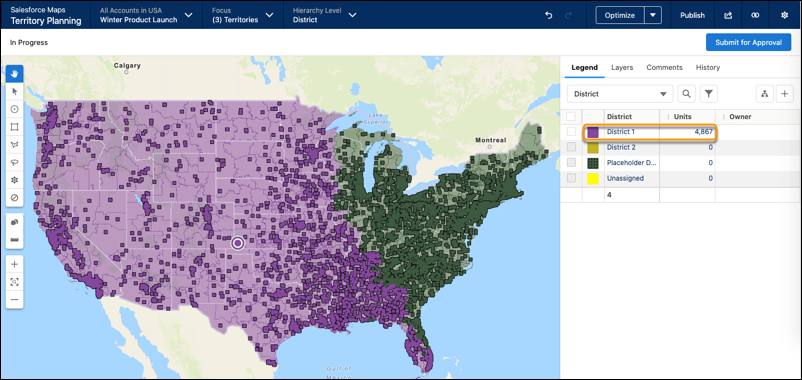
Add subordinate areas, such as districts within the top-level areas, then apply your
changes.Territory Planning assigns the units from the top-level area to the first subordinate area, such as District 1. For other top-level areas, Territory Planning places their units into placeholders until you add subordinate areas to them.
-
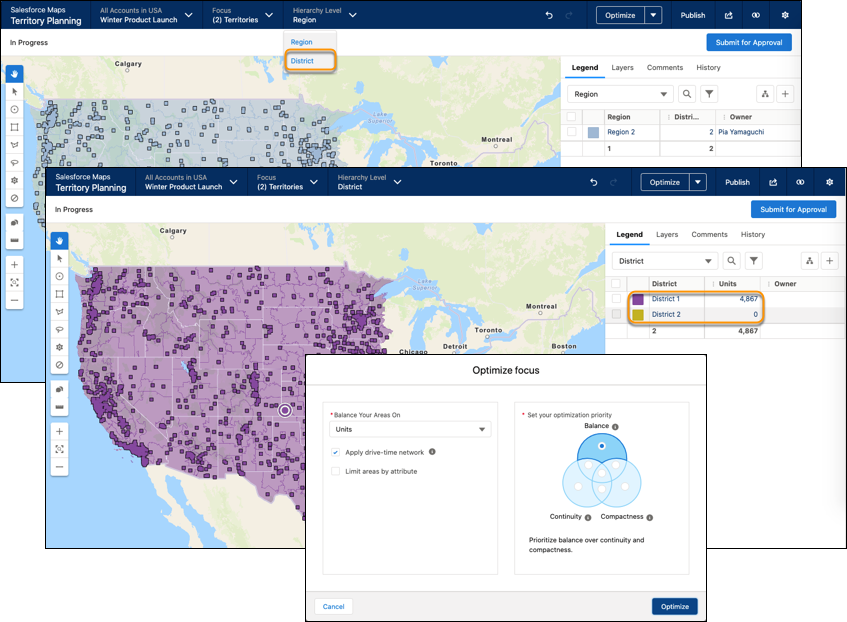
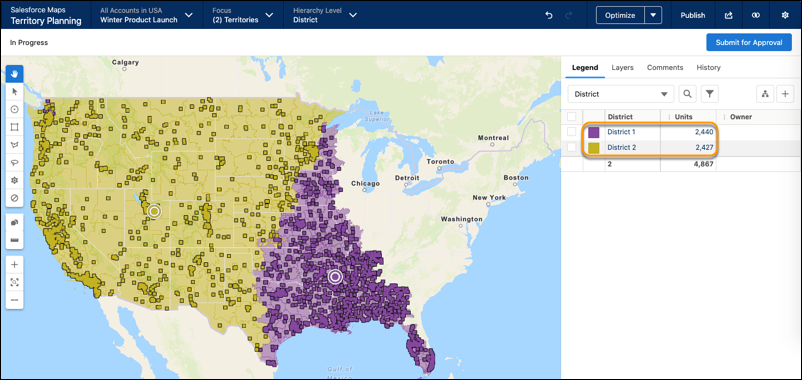
Change the focus to show the top-level area that you added subordinate areas to. Change the
hierarchy level to show the subordinate areas, then optimize the focus.Territory Planning assigns units to the subordinate areas based on the optimization priority that you set.
- Repeat steps 4 and 5 for each area that you want to add subordinate areas to. Apply the same method when you branch to even smaller areas, such as states and postal codes.