Keep unit assignments consistent across Salesforce, Territory Planning, and Sales
Territories. Territory Planning matches boundary and country fields for unit assignments so the
assignments stay the same throughout the planning process.
Required Editions
| Available in: both Salesforce Classic (not available in all orgs) and Lightning
Experience |
| Available in: Professional, Enterprise, Performance,
Unlimited, and Developer Editions
|
| User Permissions
Needed |
| To manage Territory Planning options in the Salesforce Maps package: |
Customize Application |
-
From Setup, in the Quick Find box, enter Installed Packages, and
then select Installed Packages.
-
Click Configure next to the Salesforce Maps package.
-
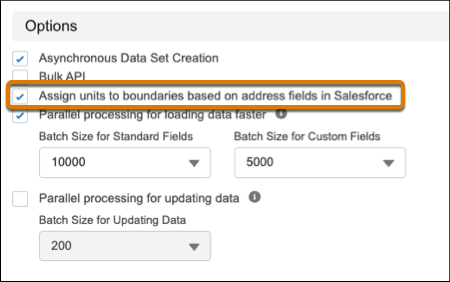
From Territory Planning Data Management, select the option to assign units based on
address fields in Salesforce.
-
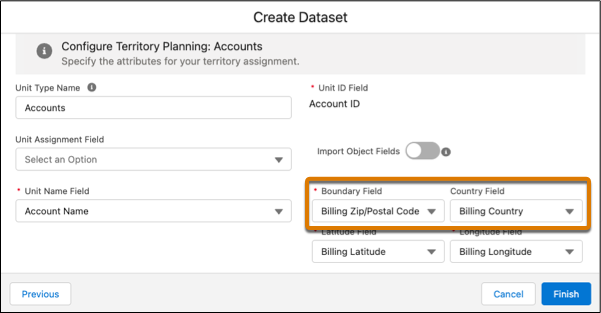
In Territory Planning, create a dataset. Select values for the boundary and country
fields where you want units assigned, such as billing postal code and billing country. If
your boundary field already includes country information, such as USA_12345, the country
field isn’t required.
-
Click Finish.
-
Create an alignment using the dataset with defined boundary and country fields, and
plot it on the map.
Units are assigned to the boundaries and countries you specified.