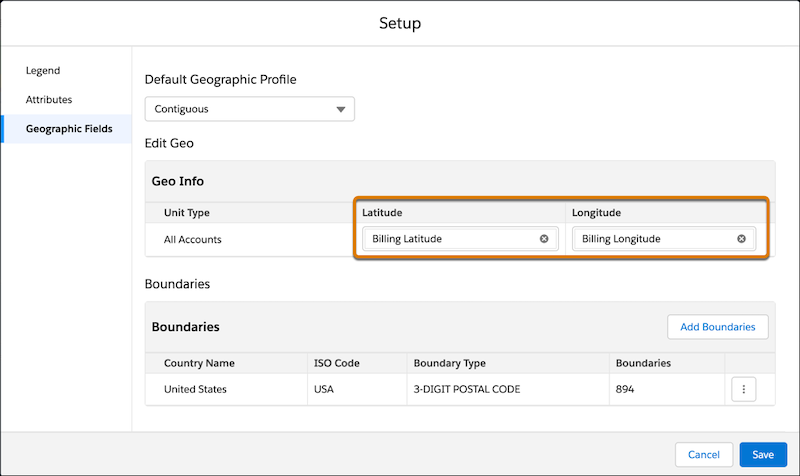
When you create an alignment with live data, the alignment requires that you have mapped fields from a data source so that units can appear on the map and be assigned to boundaries. The alignment defines latitude and longitude values, and each boundary set defines other geographic fields. If you’re using multiple boundary sets, each boundary set evaluates the correct fields on your records.
Required Editions
| Available in: both Salesforce Classic (not available in all orgs) and Lightning Experience |
| Available in: Professional, Enterprise, Performance, Unlimited, and Developer Editions with Web Services API enabled |
Auto-populated Latitude and Longitude Values
If your data source doesn’t specify latitude or longitude fields, the created alignment
queries the underlying source object and auto-populates latitude and longitude
values for datasets created from SOQL queries only.
For example, maybe you created a query for the Account object in your dataset, but you didn’t include latitude or longitude fields. Territory Planning detects that the query is based on the Account object and queries that object for the values.
Although the field values auto-populate, the field itself isn’t visible in the
territory legend unless you add the field to your data source.
Matching Strings for Field Names on Boundary Sets
When you create an alignment from live data, geographic fields other than latitude and longitude are mapped to boundary sets. Territory Planning attempts to match field names in this priority order.
- First, checks for an exact match, such as BillingLatitude, BillingLongitude, BillingCountry, BillingPostalCode.
- Otherwise, checks for a partial match, such as any field that contains
latitude or longitude.
- Otherwise, leaves the field blank and you have to manually populate it.