
You can delete webhook mappings, mapping records, and connector fields for third-party connectors in Salesforce Spiff. Delete webhook mappings individually.
Required Editions
| Available in: both Salesforce Classic (not available in all orgs) and Lightning Experience |
| Available in: Enterprise, Unlimited, and Developer Editions |
| Available for an additional cost in: Professional Edition with Web Services API Enabled |
| User Permissions Needed | |
|---|---|
| To edit a connector: |
A Spiff user role with this permission turned on. Connectors: Edit |

Important Before you delete mappings or connector fields, verify that they aren't used in Designer. Deleting items that are in use can cause unexpected problems with logic or commission data. You can't restore deletions.
Delete a Webhook Mapping or Mapping Records
- From the Admin menu, select Connectors, and click Synced Objects and Fields.
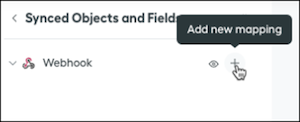
- Hover over the webhook that you want to delete and click the Manage Mapping icon.
-
Scroll to the bottom of the page.
- To delete mapping records but keep the mapping, data filters, and connector fields, select Delete Mapping Records (1).
- To delete a mapping completely, including all records, data filters, calculated fields, and connector fields, select Delete Mapping (2).
- To confirm the deletion, enter the name of the mapping, and click Delete.
Delete a Webhook Connector Field
- From the Admin menu, select Connectors, and click Synced Objects and Fields.
- Hover over the webhook with the connector field that you want to delete and click the Manage Mapping icon.
- On the Connector Fields tab, find the connector field, hover over it, and click the Delete icon.
- To confirm the deletion, enter the name of the connector field, and click Delete Connector Field.