
If your organization isn’t using SSO, you can invite reps to see tier commissions in Salesforce Spiff.
Required Editions
| Available in: both Salesforce Classic (not available in all orgs) and Lightning Experience |
| Available in: Enterprise, Unlimited, and Developer Editions |
| Available for an additional cost in: Professional Edition with Web Services API Enabled |
| User Permissions Needed | |
|---|---|
| To invite a user: |
A Spiff user role with this permission turned on. Users: Invite |
Users don’t need to be invited through this process if your organization uses SSO. Access to Salesforce Spiff is controlled through the SSO provider.
- From the Admin menu, select Users.
- Select one or more users you want to invite. Alternatively, click and drag to select a group of users.
-
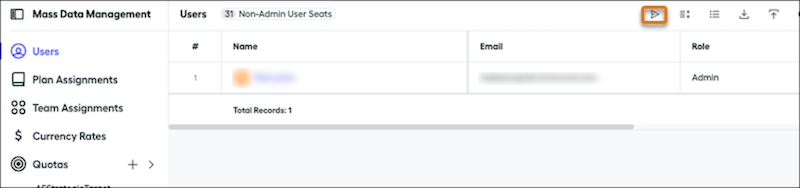
Click the Send Invite icon to dispatch invitations to the selected users.
 The invited users receive an email with a link to create a password. This link is valid only for the first login and can’t be used for subsequent logins or password resets. Users have 30 days to activate their account by setting up their password.