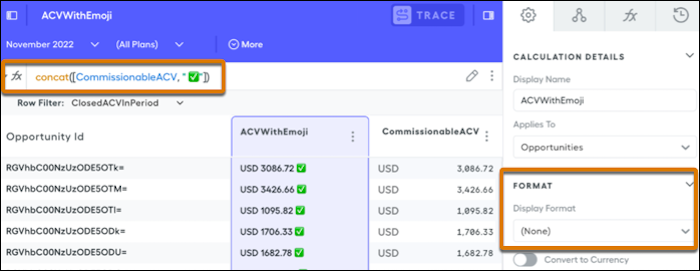
You can incorporate emoji into formulas to emphasize sales numbers. For example, adding emoji next to ACVs helps you quickly see their status and measure sales team performance.
Required Editions
| Available in: both Salesforce Classic (not available in all orgs) and Lightning
Experience |
| Available in: Enterprise, Unlimited, and Developer
Editions |
| Available for an additional cost in: Professional Edition with Web
Services API Enabled |
You can copy emoji from online emoji libraries or your operating system's emoji library and paste them into your rules or display names. You can also use online emoji letter sites to change the font of your display names.
When using emoji in a rule, use the concat function to make it appear next to a datatype that is anything other than a string. The syntax for the concat function is concat(list). To make items into a list, add square brackets around them. Changing the display format back to currency removes the emoji and displays numbers again.