Manager commission plans in Salesforce Spiff often include rollups for business metrics such as revenue, gross profit, and number of deals closed. A manager can receive commission on the sum of the revenue closed by the team. Some companies refer to this kind of rollup as an override plan, where a manager receives an override on the performance of their team.
Required Editions
| Available in: both Salesforce Classic (not available in all orgs) and Lightning
Experience |
| Available in: Enterprise, Unlimited, and Developer
Editions |
| Available for an additional cost in: Professional Edition with Web
Services API Enabled |
| User Permissions Needed |
| To create a rollup filter: |
A Spiff user role with this permission turned on.
Designer Configuration: Manage
|
-
In Designer, click Data and then Filters.
-
Hover over the object or table that contains the records or deals that you want to roll up to a manager, click the three dots, and select New Rollup Filter.
-
Select how you want to credit the rollup and click Next.
-
Save your changes.
-
Enter a name, selecting matching deals, and select a time period.
-
Apply the filter to a datasheet.
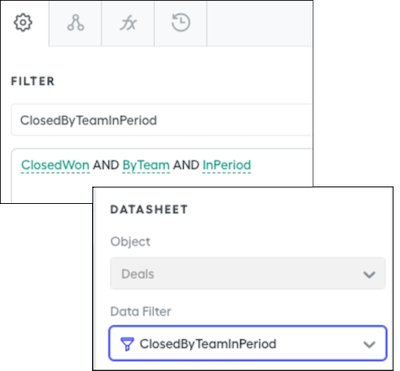
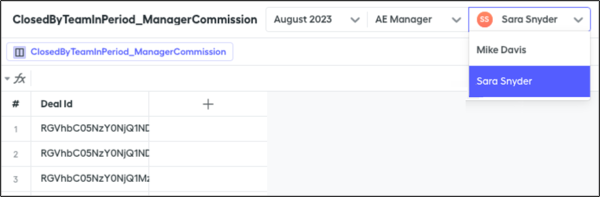
For example, the ClosedByTeamInPeriod filter combines the ByTeam rollup filter with other filters to return all deals closed by a team in the period. Select the ClosedByTeamInPeriod filter on a datasheet.
-
Create a rule based on the datasheet, or reference the datasheet in worksheet calculations for attainment, team sales, or counting team deals.