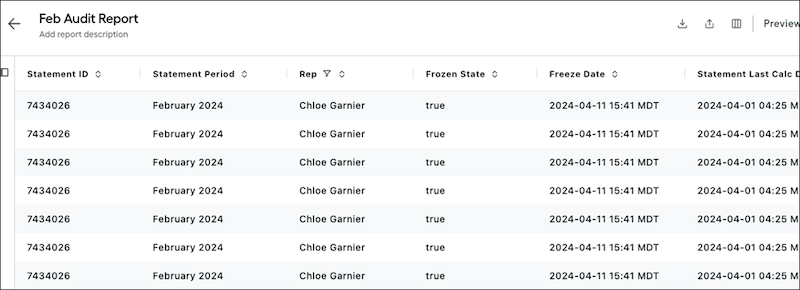
Gather all the essential data you need to audit obligations in Salesforce Spiff with
the Audit Report template. The report includes the frozen status of obligation lines, the
last calculation time stamp, statement error date, and more. Add columns from the Audit
Report template to any custom obligation report. You can also customize the template by
adding any field available in a typical obligation report.
Required Editions
| Available in: both Salesforce Classic (not available in all orgs) and Lightning
Experience |
| Available in: Enterprise, Unlimited, and Developer
Editions |
| Available for an additional cost in: Professional Edition with Web
Services API Enabled |
By default, the report shows data for obligations from the current period. As with all custom reports, use the left panel to filter the report by period, plan, rep, rule, or team. Obligations records are outputs from a specific period, plan, rule, and rep.
The table includes these columns.
- Statement ID and period
- Rep
- Frozen state and frozen date
- The date and time when the statement was last calculated
- The date and time when the statement had an error, if applicable
- The payout rule that calculated the obligation
- The ID and name of the Deal or Opportunity object related to the payout rule, if the obligation is for a deal or opportunity
- The concatenated name of the rep, period, and rule of the obligation, if the obligation isn't for a deal or opportunity
- The commission amount calculated for the obligation for the period, plan, rule, and rep