
A primary key helps Salesforce Spiff differentiate records based on a unique ID and determine whether to add new rows or update existing rows on new imports. This value must be unique for each record.
Required Editions
| Available in: both Salesforce Classic (not available in all orgs) and Lightning Experience |
| Available in: Enterprise, Unlimited, and Developer Editions |
| Available for an additional cost in: Professional Edition with Web Services API Enabled |
The primary key for an object is locked after the first upload when the key is selected. Locking the primary key ensures that the same field is used for future imports of updated data.
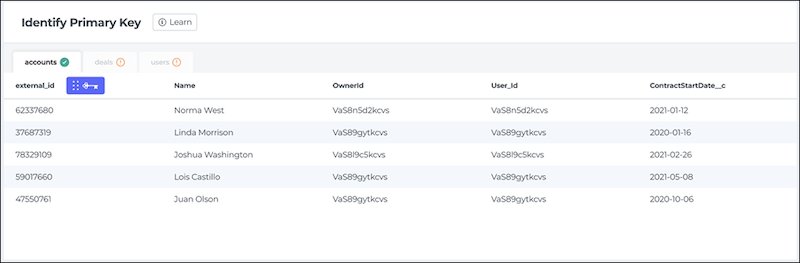
The primary key field can't contain special characters or spaces. The most common name used for a primary key field is external_id, and this name is required for these objects.
- accounts
- assets
- conversion_rates
- deals
- deal_splits
- deal_split_types
- deal_team_members
- events
- invoices
- line_items
- payers
- payments
- products
- quotas
- quota_types
- tasks
- users
For other objects, you can use any name, such as PrimaryKey or UniqueIdentifier. If an object has already been uploaded and a primary key has been selected, use the same name.
The value of each record's primary key must be unique. If you don't already have a field that’s unique to each record, create alphanumeric entries that you can easily add. Or, concatenate other field values to form a unique value, which provides a more human-readable way to find specific records.
If you want to upload additional data to an object but you aren't sure what the primary key field is, go to Data Sources, click on Imported Tables in Data Imports. Hover over the three dots next to the object and export a template of fields.