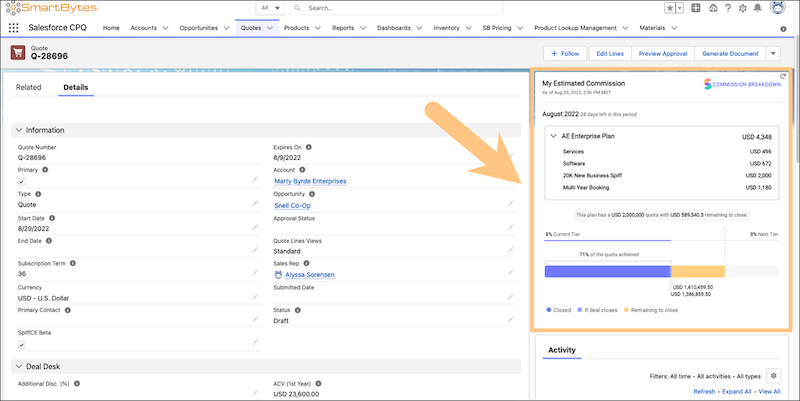
Generate a commission estimate directly from a quote record in Salesforce CPQ. You can access the Commission Estimator app if your Salesforce admin has installed the Spiff Commission Estimator managed package and assigned you the Commission Estimator User or Commission Estimator Admin permission set.
Required Editions
| Available in: both Salesforce Classic (not available in all orgs) and Lightning Experience |
| Available in: Enterprise, Unlimited, and Developer Editions |
| Available for an additional cost in: Professional Edition with Web Services API Enabled |
| User Permissions Needed | |
|---|---|
| To generate a commission for a quote: | (Salesforce) Commission Estimator User or Commission Estimator Admin permission set |
-
Select a quote that you want to estimate a commission for.
- Create a quote directly from an opportunity in Salesforce CPQ.
- Create a standalone quote from the Quotes tab.
- Select a quote from the list.
The Commission Estimator app opens in the quote's right panel.
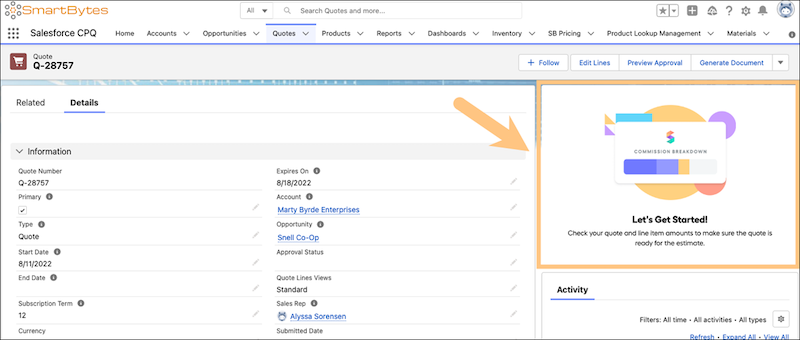
-
Add quote lines.
- In the quote record, click Edit Lines.
-
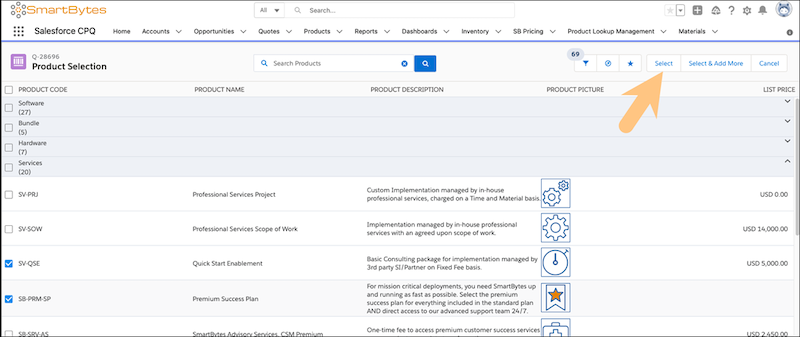
Select the quote lines from the product categories that apply to the quote, and then click Select.
- In the quote line editor, make any additional edits to the quote lines, including quantities, discounts, and subscription term.
- Click Quick Save.
- To generate the commission estimate for the quote, click Estimate Commission. If a Quick Save reminder is displayed, click Continue.
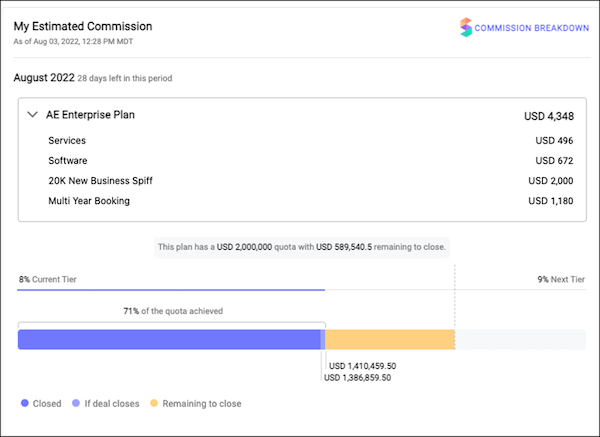
Access the Commission Estimator at any time from the Quote page.