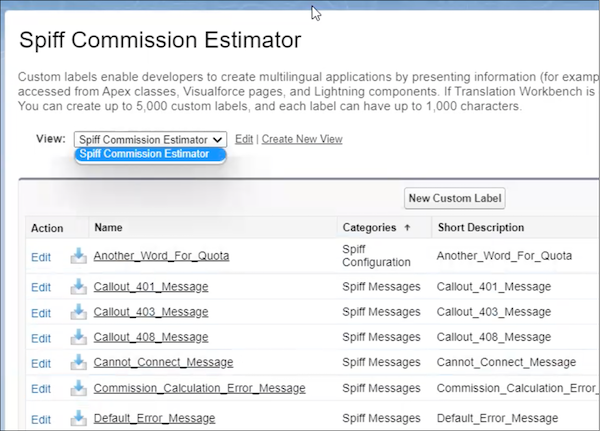
Create a group and custom labels view for users who can see Salesforce Spiff configuration custom labels, including error messages.
Required Editions
| Available in: both Salesforce Classic (not available in all orgs) and Lightning Experience |
| Available in: Enterprise, Unlimited, and Developer Editions |
| Available for an additional cost in: Professional Edition with Web Services API Enabled |
| User Permissions Needed | |
|---|---|
| To edit Salesforce custom groups: | (Salesforce) Manage Users |
| To modify Salesforce custom labels: | (Salesforce) Customize Application |
Create a Public Group
- From Setup, in the Quick Find box, enter Public Groups, and then select Public Groups.
-
Click New and enter these details for the group.
Label Group Name Spiff Configurators Spiff_Configurators - All all admin users who have the Spiff Commission Admin permission set assigned to them.
- Save your changes.
Create a View
- From Setup, in the Quick Find box, enter Custom Labels, and then select Custom Labels.
-
Click Create New View and enter these details.
View Name Spiff Commission Estimator View Unique Name Spiff_Commission_Estimator -
Specify these filter criteria.
Field Namespace Prefix Operator equals Value SpiffCE - On the Restrict Visibility step, select Visibile to certain groups of users, and add the Spiff Configurators public group that you created.
- Save your changes.
Users in the group can see all Spiff Commission Estimator configuration custom labels.