When you use the Salesforce connector in Salesforce Spiff but records aren't available for syncing in Salesforce, Spiff archives the records. Archived records are soft-deleted and hidden from view, but you can restore them.
Required Editions
| Available in: both Salesforce Classic (not available in all orgs) and Lightning
Experience |
| Available in: Enterprise, Unlimited, and Developer
Editions |
| Available for an additional cost in: Professional Edition with Web
Services API Enabled |
If the Salesforce API doesn’t return a record in a request during a sync, Spiff determines that the record no longer exists and must be archived. However, frozen statements require that records exist in Spiff even if the corresponding records were deleted in Salesforce.
Each record in Spiff has a field called soft_deleted. When this field is true, the record is considered archived. When this field is false, the record is active. Spiff sets that value during a sync.
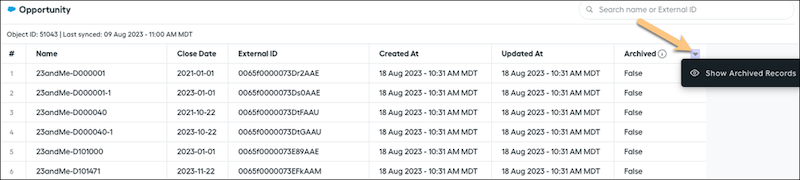
In the Data Sources page, the Archived column includes an option, Show Archived Records, that's off by default. When this option is turned on, archived records appear in your list of records and are searchable.
You can also manually archive imported records.