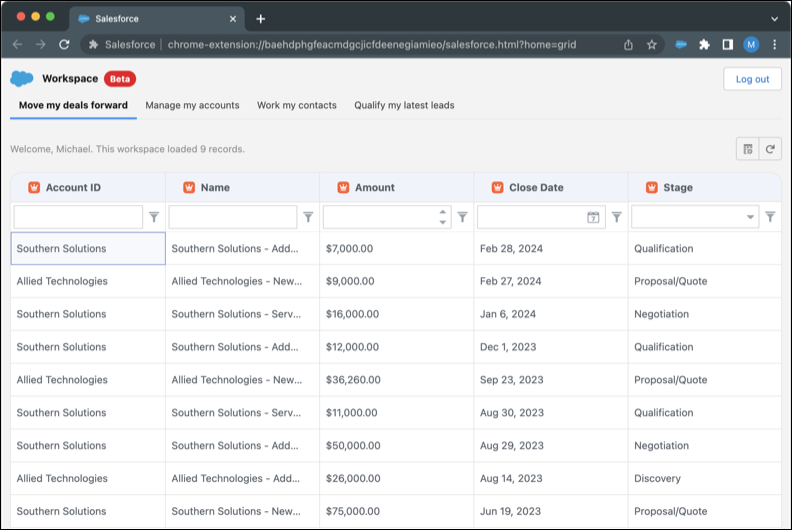
You can view, sort, query, and edit your latest leads, open opportunities, recently
updated contacts, and recently updated accounts in the Workspace list experience. Access Workspace
from the Salesforce Chrome extension side panel; it opens in a new browser tab.
Required Editions
| Available in: Lightning Experience |
| Available in: Starter, Enterprise, Performance,
Unlimited, and Developer Editions with Sales Cloud
|
-
Open workspace from Sales Cloud Everywhere.
-
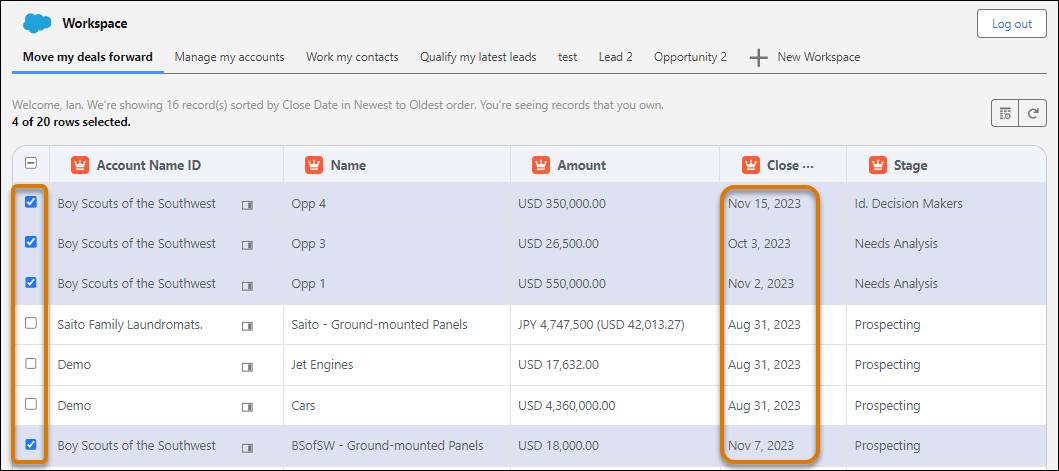
In your workspace, select up to 20 rows.
-
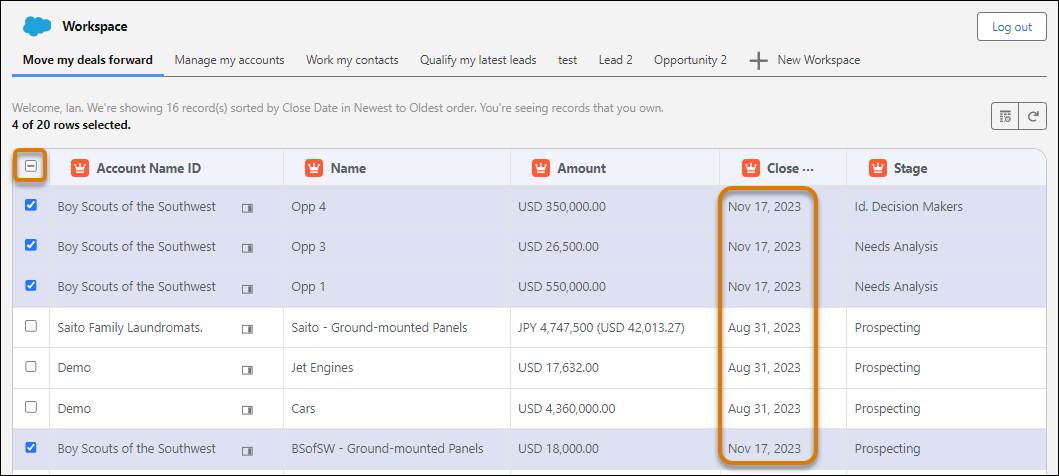
Change the field value in one row and press Enter. The field in every selected row
changes to that new value.
-
After you’re done changing the value, click the unselect icon above the row selection
boxes. Unselecting the rows prevents accidental data changes.