Orgs that use person accounts can modify the Organization-Wide Sharing Default for
Contacts. Modifying the Organizing Sharing Default provides flexibility in how you share
business contacts, including the ability to define contact sharing rules and manually share
business contacts.
Required Editions
| Available in: Salesforce Classic and Lightning
Experience |
| Available in: Enterprise, Performance, Unlimited, and
Developer Editions
|
Manually sharing contacts applies only to the business accounts because person accounts
don’t have contacts. To share information about a person account, you must share the entire
account.
To use this feature, edit your Sharing Settings.
-
From Setup, enter Sharing Settings in the Quick Find box.
-
For Account and Contract, select Private.
-
For Contact, select Private.
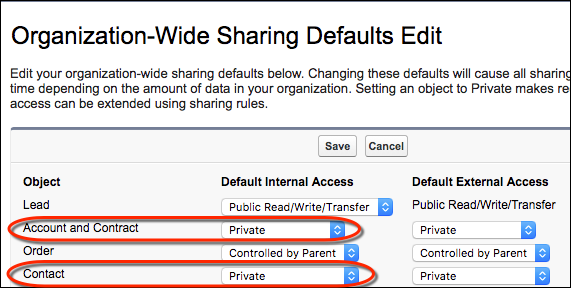
To disable business contact sharing, change the Contact sharing setting to
Controlled by Parent.
