To generate routes in Salesforce Maps Advanced, every dataset in a visit plan requires a
routable object. Routable object records represent the customer locations reps visit, such as
accounts.
Required Editions
-
Confirm that you’ve created at least one base object in Salesforce Maps.
-
On the Maps Advanced Visit Plans tab, in the New Plan wizard, click Prioritize
Data Sets.
-
Click Create a DataSet.
-
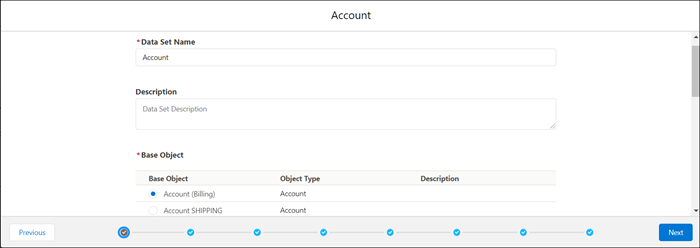
In the dataset wizard, enter a name and description for your dataset.
-
Under Base Object, select the routable object that contains the location data that you want
to use in your visit plan. If you don’t see the routable object that you want, you can create a
custom routable object.
-
Click Next.
User assignments and record filters appear in the dataset wizard.