
If reps have appointments on their calendars that Salesforce Maps Advanced didn’t generate, you can include them when you generate routes. Including prescheduled visits in the visit plan ensures that they count towards reps’ visit targets.
Required Editions
Track manually scheduled visits in the output object for your visit plan. For example, if you use the Event object as your output (calendar) object, then event records represent manually scheduled visits.

-
In the dataset wizard, under Field Filters, add filter criteria to narrow down the records
representing scheduled visits that you want to include in the dataset.
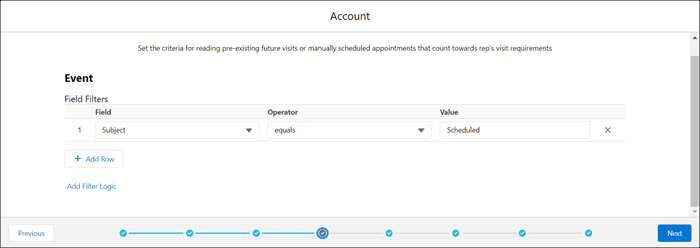 For example, reps use the Visit Type field in your routable object to indicate whether a customer visit is virtual or on-site. Under Field Filters, you set Visit Type to On-Site Meeting to include only on-site meeting records when you generate routes.
 -
Click Next.
The object and fields that represent completed visits appear in the dataset wizard.

The custom output object for your visit plan is based on the Consumer Goods Visit object. Reps can also create visits manually. When reps create a visit, they set the Call Type to Visit and the Status to Planned. You include this criteria as a filter to ensure that these visits are included when the rep generates routes.