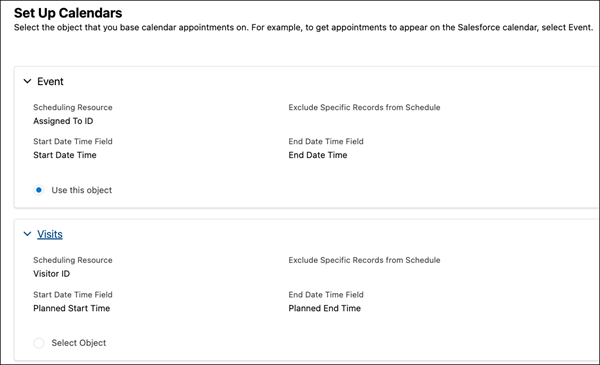
In Salesforce Maps Advanced, standard event or custom object records are the output from
route generation. For example, if the Event object is the calendar object, then events appear on
your reps' calendars after reps generate routes.
Required Editions
-
On the Maps Advanced Visit Plans tab, in the New Plan wizard, click Set Up
Calendars.
-
Below the object that you want to use as output for your visit plan, click Use
this object.
-
Click Next.
Prioritize Data Sets appears in the visit plan wizard.