
After updating your active visit plan, push the changes to your reps' schedules on a future date to avoid disturbing their near-term visit schedule.
Required Editions
When you optimize your reps' schedules, Salesforce Maps Advanced creates another visit on a future date for an incomplete past visit.
- From the App Launcher, find and select Maps Advanced Visit Plans.
- On the Visit Plans page, edit an active visit plan, then save it.
- On the Visit Plans page, next to the active visit plan, select Plan Visits.
-
In Plan My Visits, select the date in the future when you want to apply your visit plan
changes to your reps' calendars, and then click Plan.
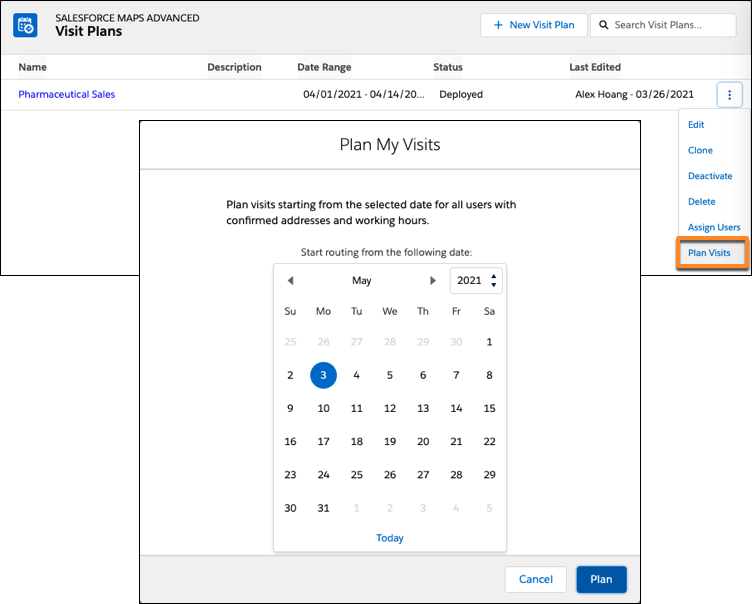

Example
You update a visit window for a quarterly visit plan for your pharmaceutical reps. You want to update your reps' schedules but you don't want to disrupt this week's schedule. In Plan My Visits, you select next Monday. After you click Plan, you regenerate (optimize) routes now, but only update reps' schedules for next Monday and beyond.