
Enrich the data in your Sales Planning datasets so that you include critical details for segmentation, territories, and quotas.
Required Editions
| Available in: both Salesforce Classic (not available in all orgs) and Lightning Experience |
| Available for an additional cost in: Enterprise, Performance, Unlimited, and Developer Editions with Sales Planning in English only, and only if you have Web Services API enabled |
| User Permissions Needed | |
|---|---|
| To transform data for Sales Planning: |
Sales Planning Admin permission set AND One of these:
|
- From the App Launcher, open Data Manager.
- Select Recipes.
-
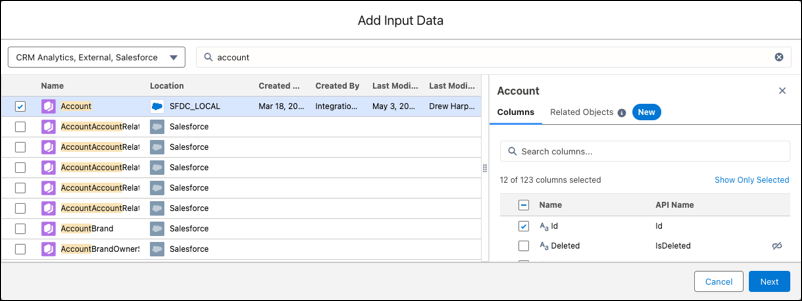
Click New Recipe | Add Input Data. Then search for and select your dataset’s object with the location SFDC_LOCAL,
such as Account. Click Next.
-
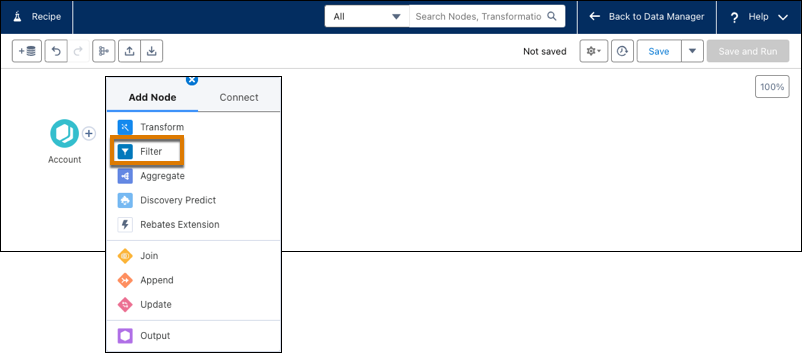
To filter your dataset, next to your object, click + and then click
Filter. For example, you filter accounts to include only ones in the
United States.
-
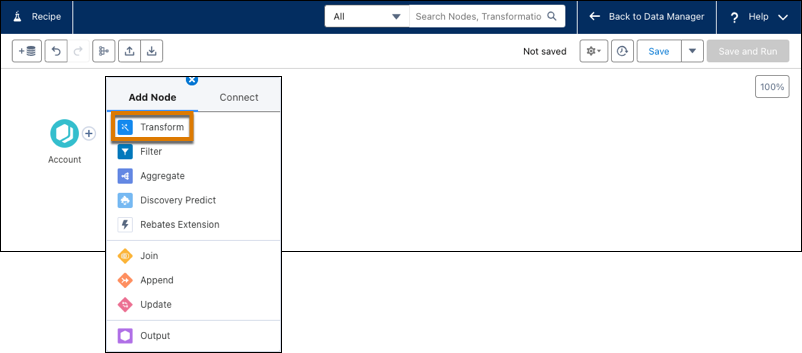
To modify your dataset, next to your object, click + and then click
Transform.
-
Create output for your dataset. Click + and then click
Output.
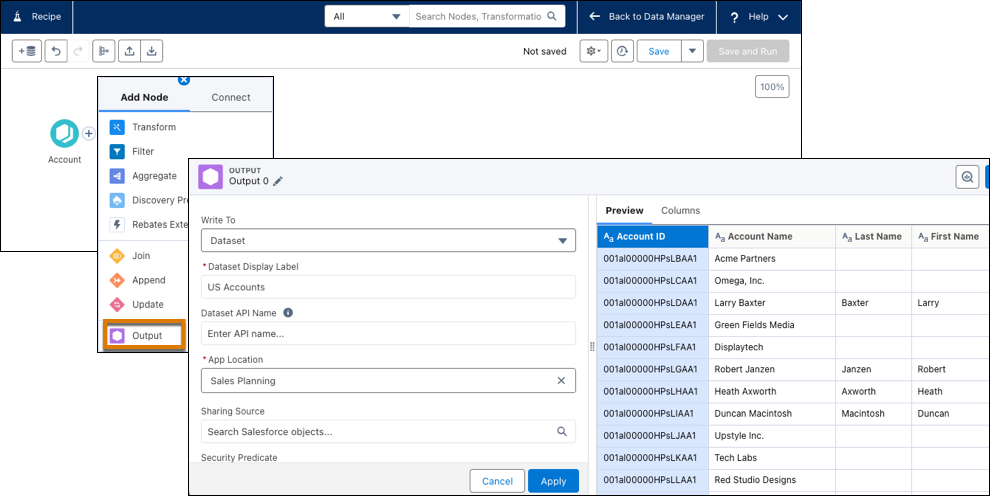
- Click Apply, and then click Save and Run.
- Enter a name for the recipe, choose whether you’re using the recipe with Data Pipelines or CRM Analytics, and save your work.

Note For information about using Sales Planning with Data Pipelines or CRM Analytics, see Considerations and Allocations for Permissions and Queries.