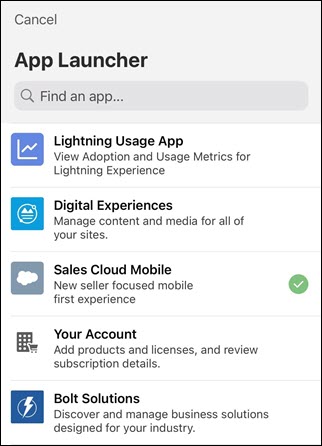
Learn how to launch the Seller-Focused Mobile Experience in the Salesforce Mobile app.
Access Seller-Focused Mobile Experience by launching it from within the Salesforce mobile app.
- In the Salesforce mobile app, tap Menu.
- Tap App Launcher.
- Select Sales Cloud Mobile.
Seller-Focused Mobile Experience opens.