To queue agent emails for manual review according to a custom set of criteria, build a flow that the agent can use to know which emails to queue. For example, you could choose to review only emails to leads in a certain geography such as Seattle, Washington USA, or industry such as Financial Services for review.
Required Editions
| Available in: Lightning Experience in Enterprise, Performance, and Unlimited editions with Sales and Einstein for Sales. |
Additional examples of custom manual reviews include:
- Review the first email to each new prospect.
- Review emails sent to strategic accounts (Tier 1, Tier 2, etc.).
- Auto-send initial outreach and review only agent replies to prospect responses.
- Review emails sent to prospects in regulated regions.
For detailed information about creating flows, see Build a Flow.
To correctly queue selected emails for review, the flow must meet a few requirements:
- The flow must be a Cadence Step Review Criteria Autolaunched Flow.
- The flow must be active before it can be selected in the agent’s Require Manual Approval settings.
- The flow must return a
needsReviewboolean variable with a value of True or False.
The flow can optionally return two additional variables.
reviewDurationInHours: A number representing the length of the review window.reviewDisposition: A string representing what the agent should do with the email if the review window expires. Valid values areSendAnywayorCancelOutreach.
In this example, the flow uses a Get Records element to get the details of the lead record passed into the flow.
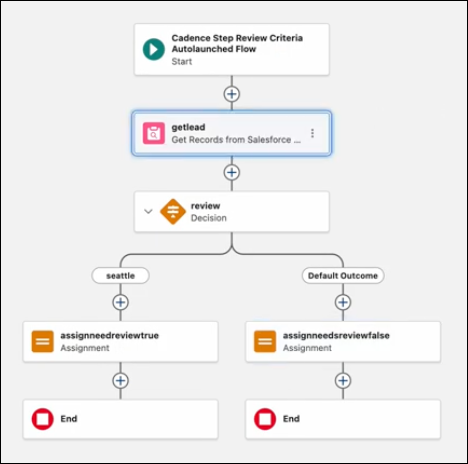
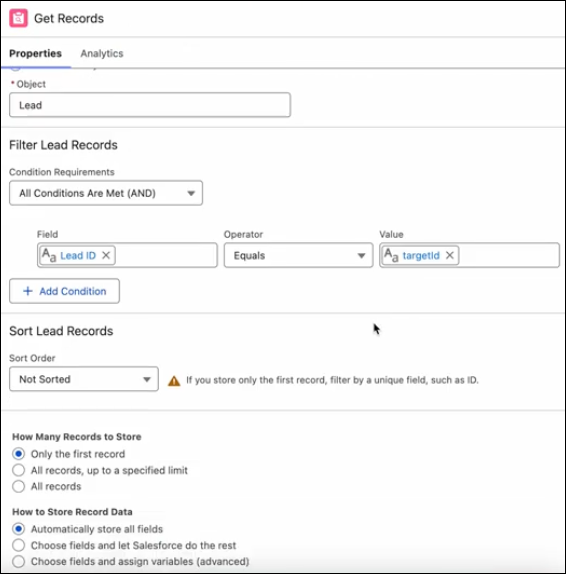
The Get Records element specifies the Lead object and confirms that the lead ID matches the agent’s cadence target ID. The agent uses a Sales Engagement cadence to manage its outreach to each prospect.
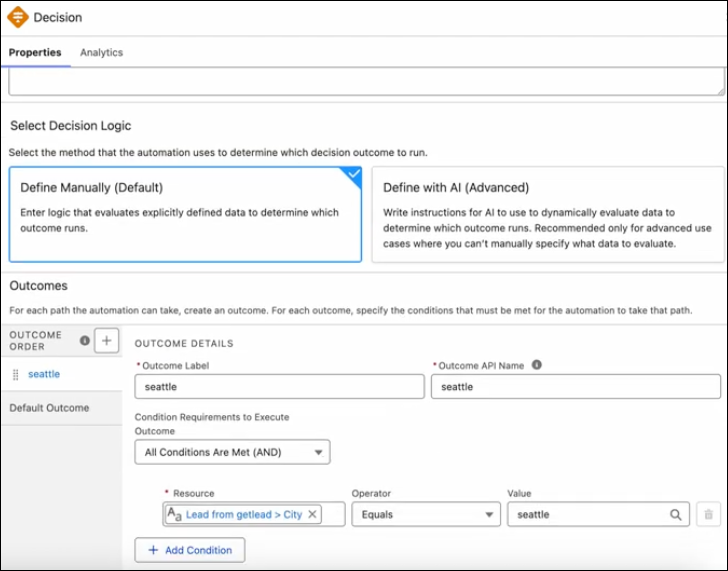
Next, a decision element determines whether the lead is from Seattle.
Finally, the flow branches to two separate assignment elements. The Seattle assignment
element sets a needsReview variable to True and the
reviewDisposition to cancelOutreach. The Seattle assignment element also
sets a reviewDurationHours variable to 96 hours (8 days).
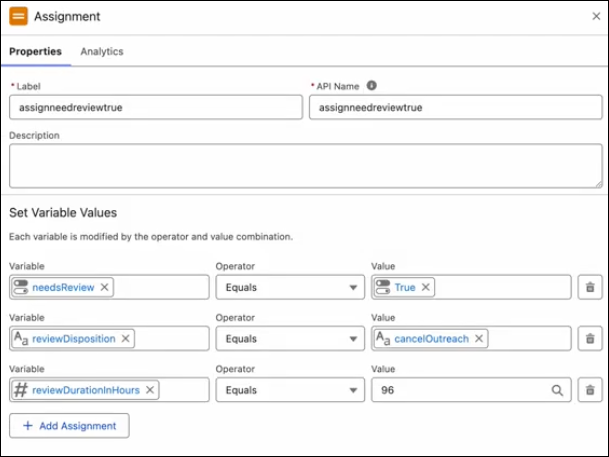
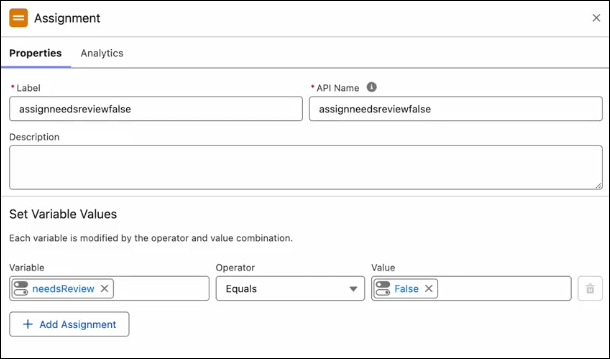
The non-Seattle assignment element sets the needsReview variable to False, which lets the agent send the email without manual review.