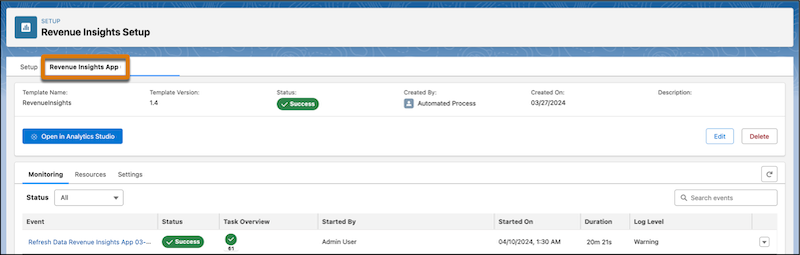
Use the app management tab to monitor the status of install requests, view logs to
troubleshoot install issues, track app usage statistics, and update and delete apps.
Required Editions
| Available in: Lightning Experience |
| Available with Sales and Government Cloud Plus for an additional cost in:
Enterprise, Performance, and Unlimited Editions
|
From the Setup menu, installed versions of Revenue Insights display as separate tabs. To view
details about the app installation, select an app tab. The app details include the installation
status, a list of installation events, and the tasks for each event. You can schedule app
refreshes or refresh manually and see details of all the installed app resources like dashboards
and recipes. For more information about app management, see Manage Your Intelligent Apps.