Create quota plans fast when you incorporate stamped territory hierarchy, owner, and
attribute data from alignments that you create in Territory Planning. Analysts plan quotas from
stamped alignments within Sales Planning segments.
Required Editions
| Available in: both Salesforce Classic (not available in all orgs) and Lightning Experience |
| Available for an additional cost in: Enterprise, Performance, Unlimited, and Developer Editions with Sales Planning in English only, and only if you have Web Services API enabled |
| User Permissions Needed |
| To plan quotas from territory alignments: |
One of these:
- Sales Planning Admin permission set
- Sales Planning Ops Manager permission set
- Sales Planning Ops Analyst permission set
AND
One of these:
- Query for Datapipelines User for Sales Planning permission set
- CRM Analytics Plus User permission set
- CRM Analytics Growth User permission set
AND
SF Maps Territory Planning for Sales Planning permission set
|
-
In Sales Planning, open the segment you want to plan quotas for.
-
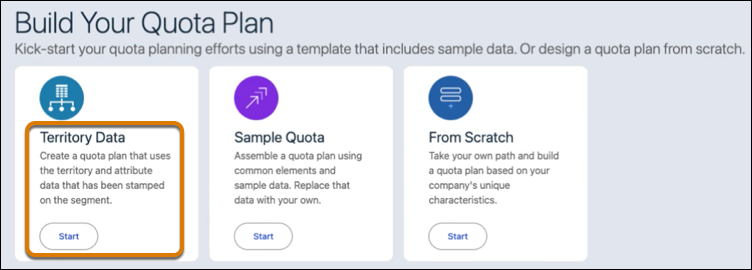
In Quota Plans, click New, and then build your quota plan with
territory data.
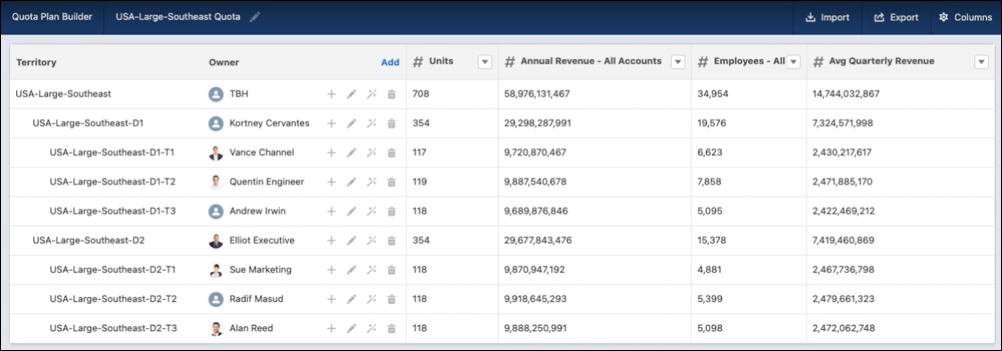
The quota plan includes all the territories and attributes that you included in your
territory stamp for the segment.