
A learner can use the Trailmixes index page on your enablement site to view trailmixes that they’ve created or that a manager has assigned to them from the Trail Tracker app. A learner can also search for trailmixes, follow a trailmix, and share a trailmix.
Required Editions
| Available in: Enterprise, Performance, and Unlimited Editions |
| User Roles | |
|---|---|
| This topic supports these enablement site roles: |
|
Links to Content in a Trailmix
A trailmix can contain content from both your enablement site and Trailhead. When learners click a trail or module in a trailmix, they navigate to either your enablement site or Trailhead, depending on the source of the content.

Assignment Colors for a Trailmix
The Trailmixes index page on your enablement site uses these colors to indicate the urgency of an assigned trailmix’s due date.
| Color | Definition |
|---|---|
| Green | The trailmix is due in 8 or more days. |
| Red | The trailmix is due today, tomorrow, or within a week. Or, the trailmix is overdue. |
| Gray | The trailmix has no due date. |
Followed Trailmixes
A learner can follow a trailmix to bookmark it or track their progress. A followed trailmix appears in the In Progress section of the Trailmixes index page on your enablement site. When the learner completes the trailmix, it moves to the Completed Trailmixes section.
To follow a trailmix, a learner selects the title of a trailmix and then clicks Follow.
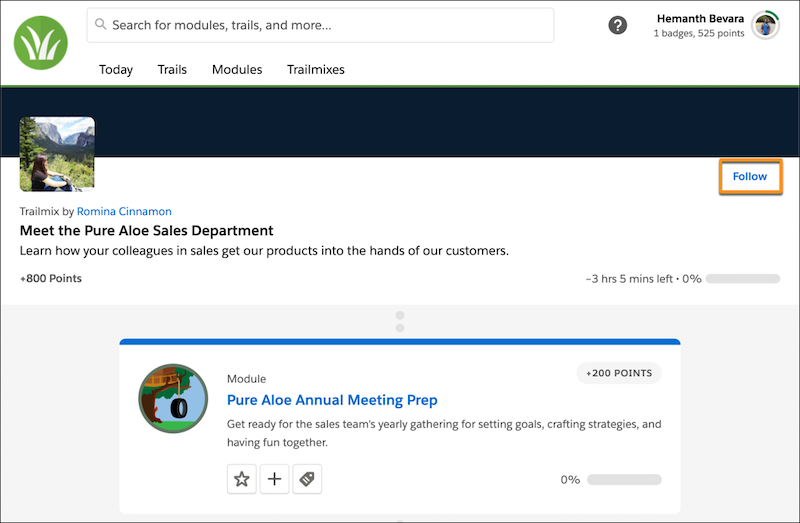
To stop following a trailmix, a learner returns to its page, and clicks Unfollow.
If a followed trailmix is deleted, the trailmix disappears the learner’s Trailmixes index page.