You can delete a unit from a published module.
Required Editions
| Available in: Enterprise, Performance, and
Unlimited Editions
|
| User Roles and
Permissions |
|
Enablement Site User Roles
|
|
| This topic supports these enablement site
roles: |
Content Creators |
|
Required System Permissions
|
|
| To create and edit content with Trailmaker Content: |
Create Content |
-
Find the backpack that you want to import. You can:
-
Import the backpack into your Trailmaker Content workspace.
-
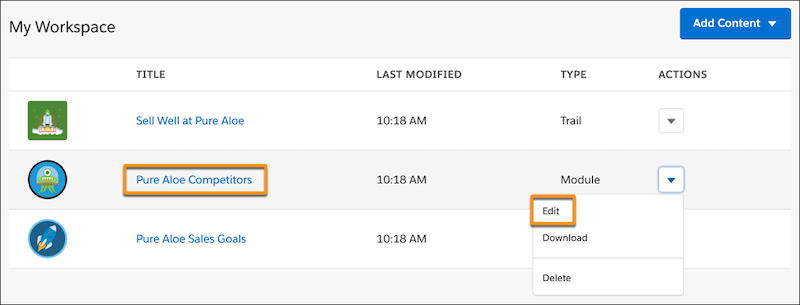
In the Trailmaker Content workspace, click the module title (1). Or, select
Edit from the Actions menu for the module (2).
-
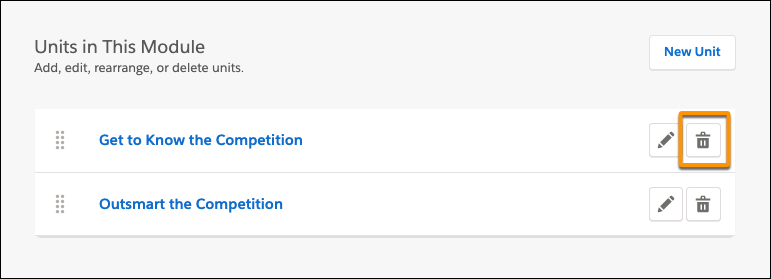
On the module page, click the delete icon
 for the unit that you want to
delete.
for the unit that you want to
delete.
-
To confirm the deletion, click Delete.
-
Add the revised module to an unpublished release by completing the steps in Add Content to a Release from Trailmaker Content.
-
Preview and publish the release.
-
Download the latest released version of the module backpack, and store it in your
VCS.