When a user logs in to your enablement site for the first time, the authentication provider that you configured determines whether the user must create a profile to access your site.
Required Editions
| Available in: Enterprise, Performance, and Unlimited Editions |
| User Roles | |
|---|---|
| This topic supports these enablement site roles: |
|
Salesforce Identity for Enablement
If your enablement site uses Salesforce Identity for Enablement authentication, a user isn’t required to create a profile to access content.
- If the user is already logged in to Salesforce and clicks a link to your enablement site, the user goes directly to your site.
- If the user isn’t logged in to Salesforce and clicks a link to your enablement site, the user first navigates to an authentication page to enter credentials. The authentication page is set up by an admin when you configure your enablement site. This page is either the standard Salesforce login page or an Experience Cloud site login.
Trailblazer.me (TBID)
If your enablement site uses TBID authentication, a user is required to create a profile. Users can use their Salesforce credentials to set up a profile, but there are a few things to keep in mind.
- If a user follows a single sign-on (SSO) link to access your enablement site for the first time, the SSO link associates the user’s profile with their Salesforce login credentials.
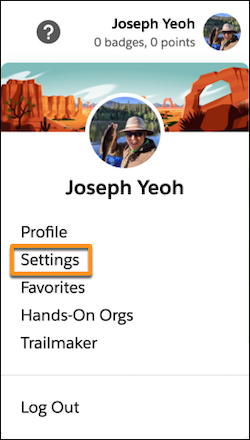
- If the user already has a Trailhead profile associated with their personal email address,
they can register for your enablement site separately using their Salesforce login credentials.
After they register, they can connect their account to their existing Trailhead profile from
the Settings page in the user menu.