
To set up Trailblazer.me (TBID) for your enablement site, select the appropriate option after you create the subdomain.
Required Editions
| Available in: Enterprise, Performance, and Unlimited Editions |
| User Roles and Permissions | |
|---|---|
| Enablement Site User Roles | |
| This topic supports these enablement site roles: | Salesforce Admins |
| Required System Permissions | |
| To configure the authentication provider: | Manage Site Settings |
Before you get started, review these important considerations.
- We recommend that all new enablement sites use Salesforce Identity for Enablement for authentication. For information about the differences between Salesforce Identity for Enablement and TBID authentication, check out Considerations for Selecting an Authentication Provider.
- After you activate TBID, you can switch your authentication provider to Salesforce Identity for Enablement by submitting a Support & Services case. For more information, check out Request to Switch Your Authentication Provider.
- If you aren’t already there, go to https://trailhead.salesforce.com/subdomain/mytrailhead-id/setup.
-
Click Use Trailblazer.me.
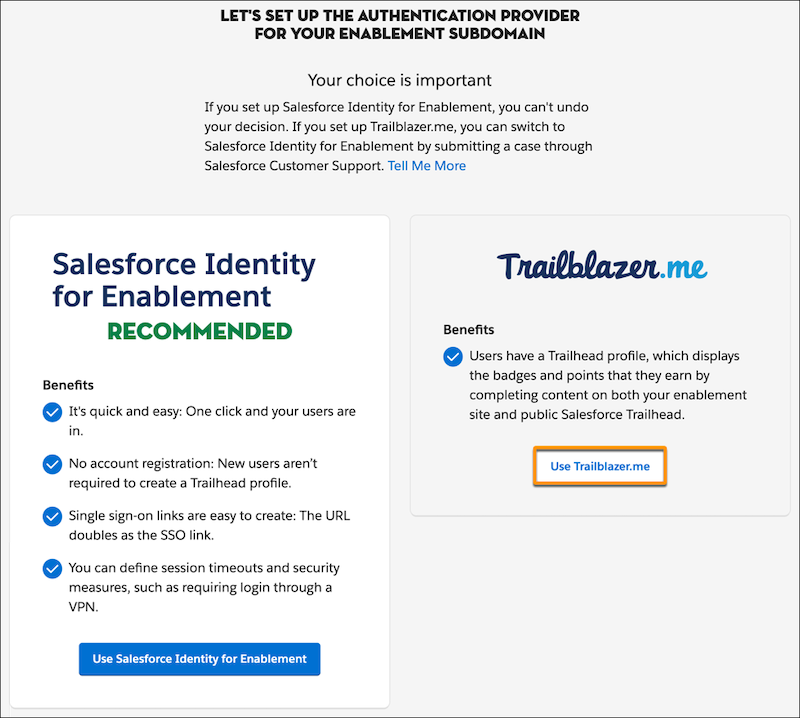
- In the confirmation window, click Use Trailblazer.me.
All your enabled users can now log in to your enablement site. Next, you can move on to these other admin activities.
- To make sure that your content creators can access Trailmaker, assign the appropriate permissions for different roles.
- To make sure that learners can access the appropriate published content, create content collections and assign permissions to learners.
- To continue configuring your enablement site's settings, you can add your logo and color and manage content filters.