
In a trailmix, you can include content from outside of your enablement site and Trailhead. For example, you can include an activity that’s on the web, such as watching a video or reading an article. Or you can add a task for the user to complete, such as talking to a colleague.
Required Editions
| Available in: Enterprise, Performance, and Unlimited Editions |
| User Roles and Permissions | |
|---|---|
| Enablement Site User Roles | |
| This topic supports these enablement site roles: |
|
| Required System Permissions | |
| To access content on your enablement site: | Permission to access at least one content collection |
| To create custom steps in a trailmix: | Manage Trailmix Custom Steps |
- Log in to your enablement site, and click Trailmixes.
- On the Trailmixes index page, scroll to the Created by Me section, and click the trailmix title.
- Click Edit.
- Click Add Content.
-
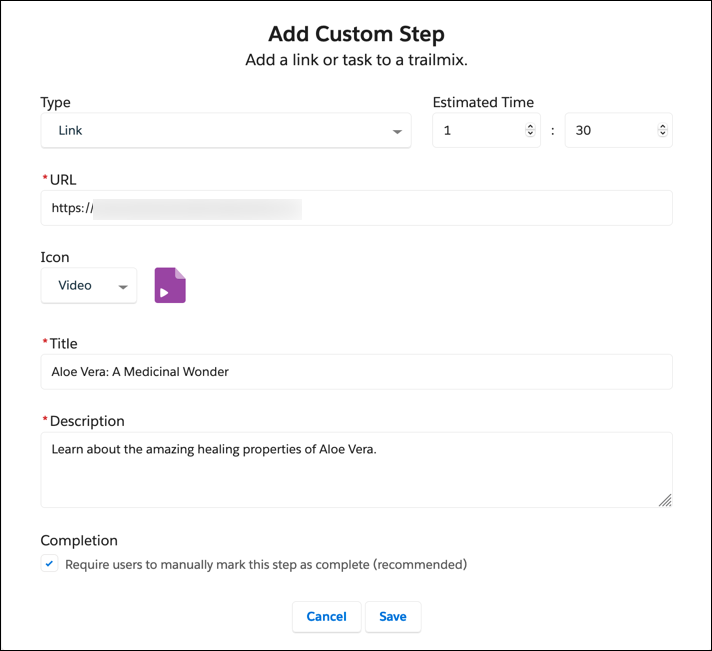
Select the kind of step that you want to add.
- Link
- A link to external content, such as a video or web page.
- Task
- An in-person activity, such as attending a seminar or talking to a colleague.
-
Enter other details for the step, such as the URL and an icon, and save.
After you create the step, you can drag it to another position in the trailmix.

Note As you modify the content in the trailmix, your changes are saved automatically.