For a trailmix that you create, you can add content from a content tile, summary page,
or search results on your enablement site or Trailhead.
Required Editions
| Available in: Enterprise, Performance, and
Unlimited Editions
|
| User Roles and
Permissions |
|
Enablement Site User Roles
|
|
| This topic supports these enablement site
roles: |
- Content Creators
- Learners
|
|
Required System Permissions
|
|
| To access content on your enablement site: |
Permission to access at least one content collection |
-
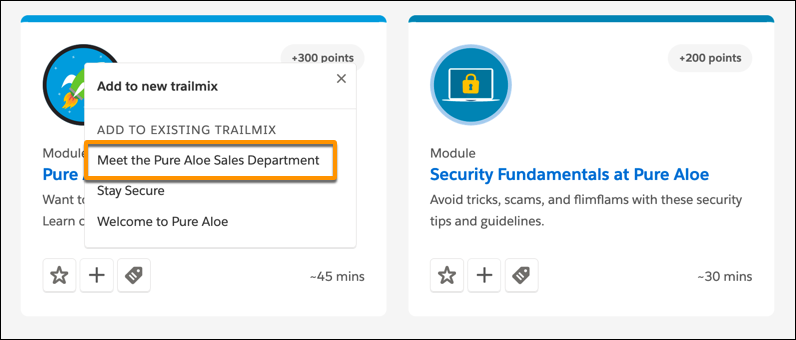
On the module or trail that you want to add, click the add button (+).
-
Under Add to Existing Trailmix, select the trailmix that you want to add the content to.
Or, to create a trailmix, click Add to new trailmix.

 Note Trailmixes that you create are included in the Add to Existing Trailmix list on your enablement site and Trailhead.