
Narrow your Discover Companies search results to the most ideal prospects.
Required Editions
| Available in: Professional, Enterprise, Performance, and Unlimited Editions |
| User Permissions Needed | |
|---|---|
| To search for companies: | Read on all fields on the external object included in the Lightning Data package |
-
Use free-text search.
You can group search terms by using quotation marks, use an asterisk (*) to find items that match zero or more characters in the middle or at the end of your query, and use a question mark (?) to find items that match a single character in the middle or at the end of your query.
-
To search for specific values on a field, use advanced search.
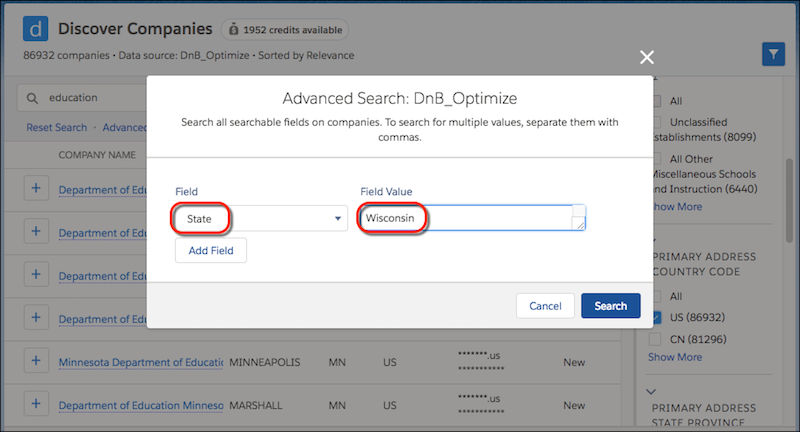 Separate multiple values with commas. You can’t use an asterisk (*) or a question mark (?) to represent characters. Advanced search applies an AND operation between fields, and an OR operation between multiple values for a single field.
 -
Filter your results for values specific to the data source you select.
In filters representing a range, you can leave the min field bland to perform a “less than” search, or leave the max field blank to perform a “greater than” search. Use k as a US English abbreviation for thousand, m for million, and b for billion. For example, 150m = 150,000,000.