
Give stakeholders who participate in the planning process authority to create and update key components of Legacy Sales Planning through Data Pipelines.
Required Editions
| Available in: both Salesforce Classic (not available in all orgs) and Lightning Experience |
| Available for an additional cost in: Enterprise, Performance, Unlimited, and Developer Editions with Sales Planning in English only, and only if you have Web Services API enabled |
| User Permissions Needed | |
|---|---|
| To install packages: | Download AppExchange Packages |
| To configure installed packages: | Customize Application |

Important
Feature is scheduled for retirement as of Summer'26. See Sales Planning version 1 Retirement
- Confirm that you added the Data Pipelines Base User permission set for your Sales Planning users.
-
From Setup, in the Quick Find box, enter Data Pipeline,
and then select Getting Started. Enable Data
Pipeline.
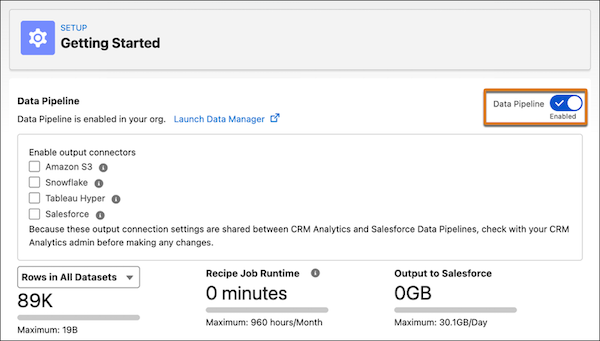
- Click Launch Data Manager | Data Templates | Sales Planning. Then click Next.
-
Enter the name Sales Planning and a description.
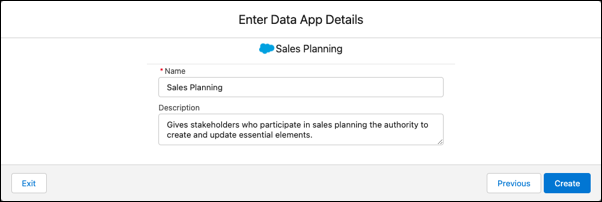
-
Click Create.
Data Pipelines creates an app that lets your stakeholders create and update elements necessary for sales planning processes.