
Determine which records to assign throughout your hierarchy such as accounts, contacts, and leads in Legacy Sales Planning.
Required Editions
| Available in: both Salesforce Classic (not available in all orgs) and Lightning Experience |
| Available for an additional cost in: Enterprise, Performance, Unlimited, and Developer Editions with Sales Planning in English only, and only if you have Web Services API enabled |
| User Permissions Needed | |
|---|---|
| To specify the kinds of records for assignment: |
Data Pipelines Base User permission set license Data Pipelines Base User permission set AND Sales Planning permission set |

Important
Feature is scheduled for retirement as of Summer'26. See Sales Planning version 1 Retirement
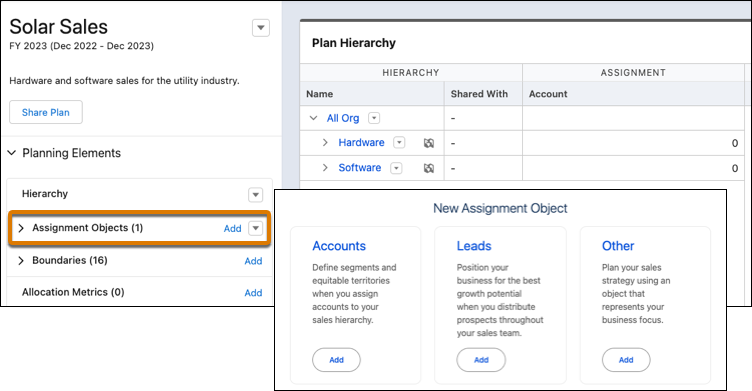
- Open your sales plan.
-
Next to Assignment Objects, click Add. Then select an object that
corresponds with the records you want to assign.
Sales Planning adds common reference fields specific to the object that you select.
- Add any other reference fields that play a role in your planning efforts. To map your data or use boundaries for assignments, click Add Coordinates. Remove any reference fields that you don’t need.
- Save your work.