Plan your sales strategy using the most recent Salesforce data for assignment objects
in your sales plans. You specify which assignment objects’ data to refresh in Legacy Sales
Planning.
Required Editions
| Available in: both Salesforce Classic (not available in all orgs) and Lightning Experience |
| Available for an additional cost in: Enterprise, Performance, Unlimited, and Developer Editions with Sales Planning in English only, and only if you have Web Services API enabled |
| User Permissions
Needed |
| To refresh data for assignment objects: |
Sales Planning Admin
OR
Sales Planning Ops Manager
|
-
Open your sales plan.
-
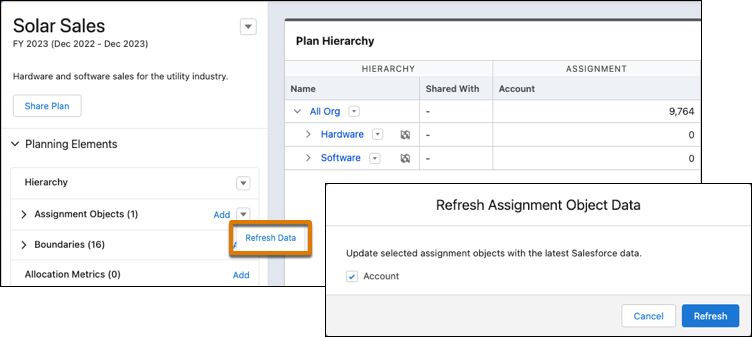
In Assignment Objects, click . Then select the object data to refresh.
-
Click Refresh.
Sales Planning starts the process to refresh data for the objects you
selected.