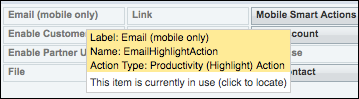
There are two Lightning Email actions: one for the desktop and one for mobile.
Required Editions
| Available in: Lightning Experience |
| Available in: Enterprise, Essentials, Performance, Unlimited, and Developer Editions |
To see which action you’re using:
- Click Setup.
- In the Quick Find box, enter Global Actions, then click Global Actions.
-
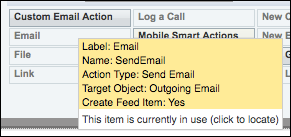
Examine the Email actions.
The action is labeled Email, with the same name of SendEmail and an action type of Send Email.

Note The Email Action for the Salesforce mobile app, EmailHighlightAction, is now called Email
(mobile only). It displays on mobile layouts only.