
Use your own instructions with Einstein generative AI to draft your sales emails. Like email templates, Einstein pulls in a contact’s name and information to customize your sales email. But unlike a static template, Einstein creates unique, personalized output every time.
Required Editions
| Available in: Lightning Experience |
| Available with the Einstein for Sales add-on, which is available for an extra cost in Performance and Unlimited Editions. |
| User Permissions Needed | |
|---|---|
| To send sales emails using Einstein generative AI: | Einstein Sales Emails permission set |
To use this feature, ensure that Add Email Prompt Instructions is enabled.
-
Create emails in Salesforce and in Salesforce email integrations for Outlook and
Gmail.
- In Salesforce, open the email composer anywhere in Lightning Experience.
- In Gmail or Outlook integrations, locate the Einstein Sales Emails component in the email application pane.
- Enter a recipient with a contact or lead record in Salesforce.
-
Click Draft with Einstein.
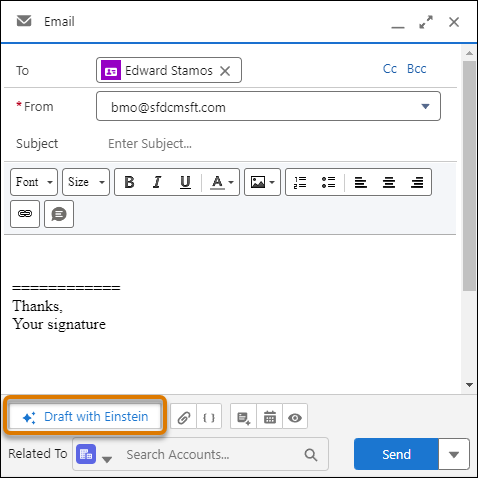
- Enter instructions and click Draft Email. A proposed draft email appears for you to review.
- Revise the content or use it as-is to send an email.
-
Revise the draft by altering the email instructions, choosing from pre-made
instructions, or selecting from the adjustment choices.
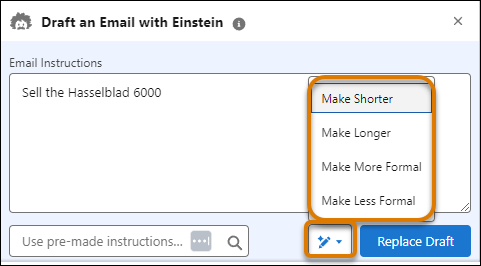
Each time you choose a revision, you get a personalized response.
