
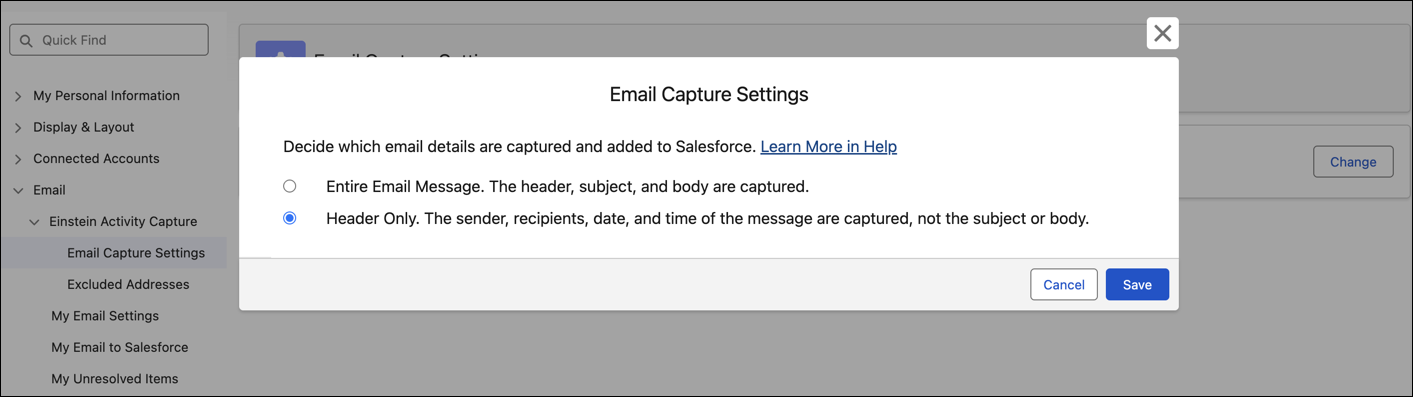
When the header only setting is turned on, capture only the sender, recipients, date, and time an email is sent. The email subject and message body aren’t captured. Header only email capture offers more privacy but isn’t compatible with some Einstein generative AI features.
Required Editions
| Available in: Lightning Experience |
| Available with Einstein Activity Capture Standard in Sales in Starter, Pro Suite, Professional, and Enterprise Editions |
| Available with Unlimited Edition, Einstein 1 Sales Edition, and Agentforce 1 Edition |
| Available with Einstein for Sales, which is included in Einstein 1 Sales Edition and available for an extra cost in Enterprise and Unlimited Editions |
| Available with Sales Engagement, which is included with Sales in Performance and Unlimited Editions, and available for an extra cost in Professional and Enterprise Editions |
| Available with Revenue Intelligence, which is available for an extra cost in Enterprise and Unlimited Editions |

When your Salesforce admin turns on Sync Email as Salesforce Activity, they select either header only or entire email as the email capture setting. This setting determines what email data is captured and synced to Salesforce: the sender, recipients, date, and time (header only capture) or the message subject and body in addition to the email header data. Relevant account, opportunity, and contact or lead records get associated with header only emails using only the sender and recipients information.
To override the default, update the Email Capture Setting from your personal settings. Updates to your settings apply only to emails captured after the change. Previously captured emails are unchanged.
After emails sync, they’re shared according to your company’s activity sharing rules.
For header-only emails, the activity timeline shows just the sender, recipients, date, and time of the message. Email insights are unavailable for header only emails.
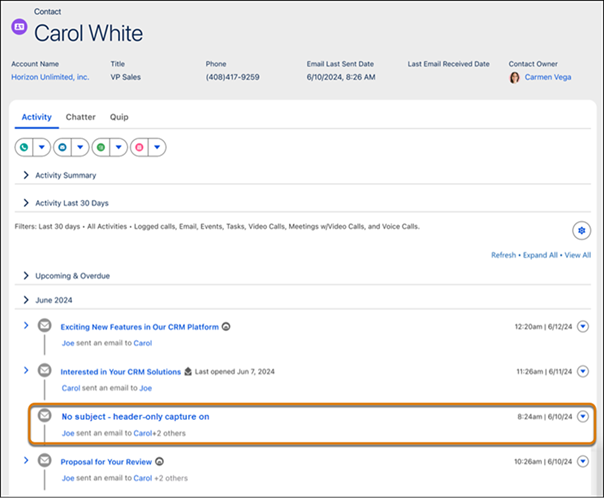
If you change the email capture setting from header only to full email message in the configuration and then resync email data, previously captured header-only emails from the past 6 months are replaced with full email message data.
Emails sent by using the Salesforce Email Composer or that are manually logged from Outlook or Gmail are always captured as an entire email message, even if you opt for header-only capture.