
If a record duplicates other records, you can alert sales reps when they open the record in Lightning Experience. Activate duplicate rules and add alerts to page layouts.
Required Editions
| Available in: Lightning Experience |
| Available in: Essentials, Professional, Enterprise, Performance, Unlimited, and Developer Editions |
| User Permissions Needed | |
|---|---|
| To view duplicate rules and matching rules: | View Setup and Configuration |
| To create, edit, delete, activate, and deactivate duplicate rules and matching rules: | Customize Application |
In orgs created in Summer ’17 and later, standard duplicate rules and the Potential Duplicates component are set up and activated for business accounts, contacts, and leads. To use duplicate rules and the Potential Duplicates component for person accounts, first enable person accounts. Then activate person account matching rules and duplicate rules, and add the Potential Duplicates component to your person accounts layout.
You can alert sales reps to duplicates by showing a card on record home pages.
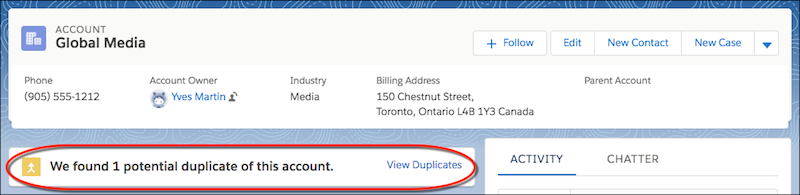
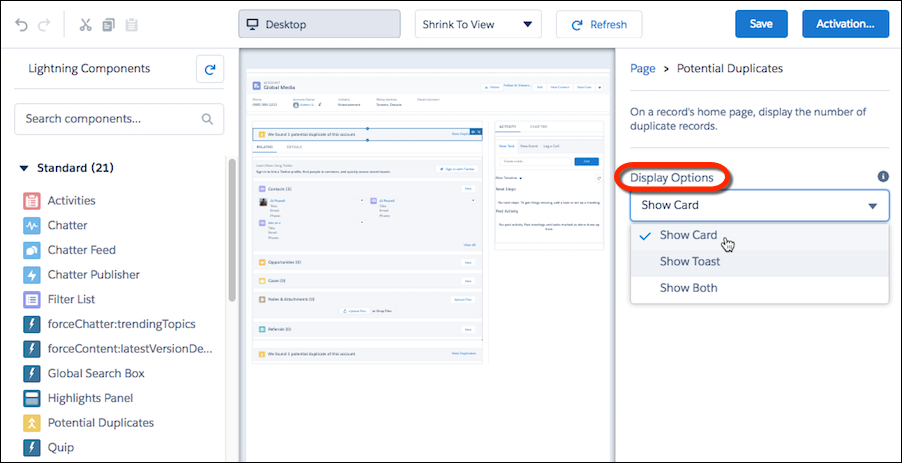
Or you can show a temporary toast message. You can also display both types of alerts.

- In Setup, use the Quick Find box to find Lightning App Builder.
-
On accounts, contacts, or leads, add the Potential Duplicates component.
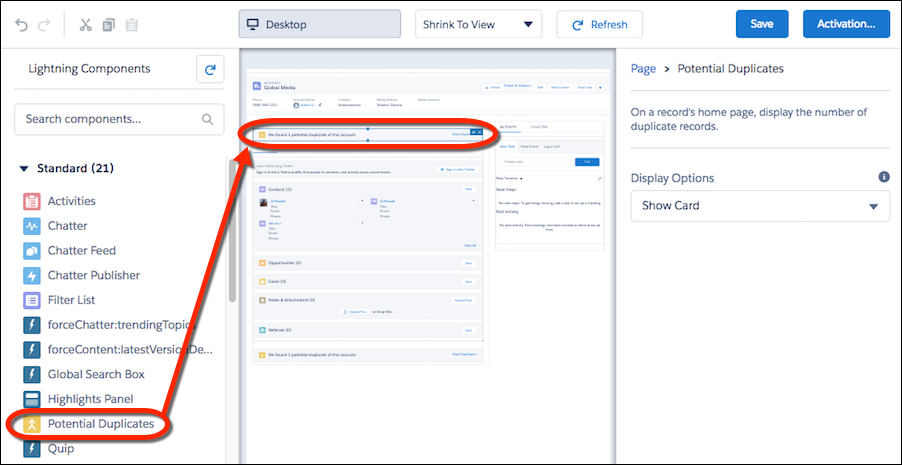
-
Select how you want to alert sales reps to duplicates.
 You can’t add the Potential Duplicates component to custom objects. However, you can create rules to handle custom-object records that duplicate an account, contact, or lead.
Reps who have permission to merge duplicates can choose up to three records on the same object to merge.