
After creating a recommendation, you can refine it to get optimal results.
After you finish and save your recommendation, the Summary page displays your selected objects, their segments, and fields.
By default, all records and fields on the selected objects are included. But you can limit the data to certain segments and fields to focus your recommendation on relevant data.
You can focus your recommendation on a specific segment of your dataset. For example, you can analyze data for a specific region or industry. With segments, you can get more useful recommendations by omitting records that aren’t relevant.
- In the Recommended Items or Recipient section, select Segment.
-
Select Yes, focus on a segment.
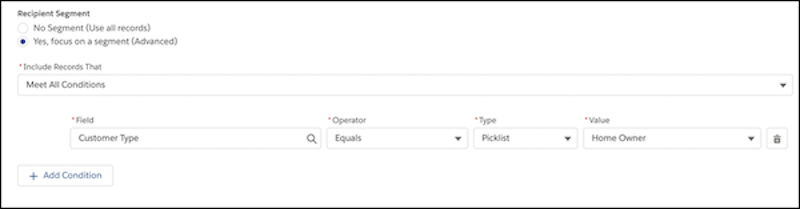
-
In the Recommended Items or Recipient section, select
Fields and review the included fields. You can ignore
certain fields in your recommended object.
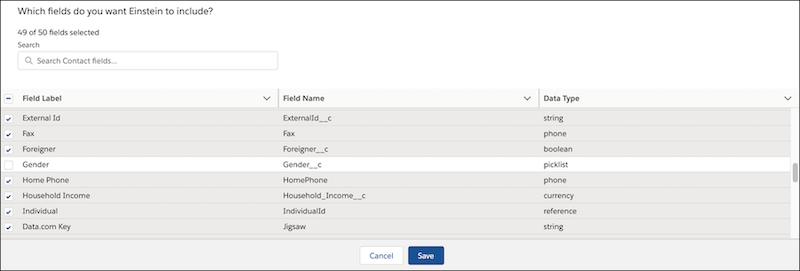
- Deselect fields that you don’t want Einstein to consider when building your recommendation. Click Save.

Tip Carefully consider how to set up your segments, because Einstein learns how
to make recommendations from these records. Exclude any records that aren’t relevant to
your use case. For example, you can focus on customers in a specific region, products in
certain categories, or cases with a specific record type.
You can create separate recommendations for each segment.