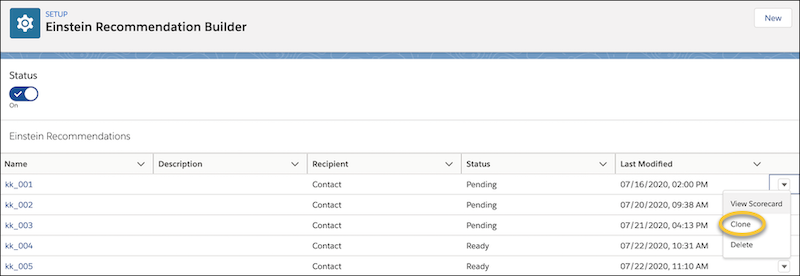
After creating a recommendation, you can iterate it to get optimal results.
Building a good recommendation that meets your business needs is an iterative process. To improve your recommendations, see Review Your Recommendation's Scorecard. To build the next iteration, either clone or edit your recommendation.
Editing overwrites the original settings, and the original scorecard is no longer available. You can’t edit a deployed recommendation.
- To edit a recommendation, choose the recommendation and click Edit. Go to the Summary page and modify your segments, fields, and interactions examples.
- After you’re done, click Save.
- To clone your recommendation, select a recommendation and click Clone. Cloning retains the original scorecard and allows side-by-side comparison across multiple recommendations.
- Define a new name and hit the tab button to populate the API.
-
After you’re done, click Save.