
Build your own custom recommendations with Einstein Recommendation Builder. Or, use it to run recommendations that are part of a managed package.
Required Editions
| Available in: Enterprise, Performance, Unlimited, and Developer Editions |
To install and use a managed package recommendation, you need the package’s installation URL that the package developer provides.
- In a browser, go to the installation URL that was provided by the package developer.
- Log in using the credentials for the org where you want to install the package. Make sure that Einstein Recommendation Builder is enabled.
-
On the install page, choose who to install the package for, acknowledge the
terms, and click Install.
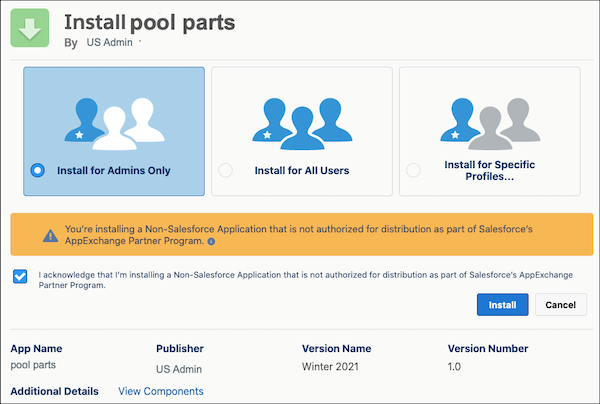
- After the package is installed, click Done.
- From Setup, in the Quick Find box, enter Einstein Recommendation Builder, and then select Einstein Recommendation Builder. Or, on the Einstein Recommendation Builder tile in Setup Home, click Get Started.
- If it’s your first time using Einstein Recommendation Builder, click Get Started on the splash page. Review and agree to terms if needed. Otherwise, skip to the next step.
-
In the Recommendations list view, locate the manage package, which displays
with a special icon. It's status is Ready to Build. In the action menu next to
the status, select Build.
 Note The managed package recommendation is in Pending status until it’s built. Building can take up to 24 hours. You’re notified when your recommendation is ready.
 - When the recommendation status is Ready for Review, select View Scorecard in the action menu.
- Review the scorecard and decide if you want to enable your managed package recommendation.
- To use your managed package recommendation, enable it from the scorecard or the action menu in the list view.