
Show the contacts on an account within a hierarchy for sales reps using Lightning Experience. To show the information that’s most useful to your sales teams, customize the hierarchy columns.
Required Editions
| Available in: Lightning Experience |
| Available in: Essentials, Group, Professional, Enterprise, Performance, Unlimited, and Developer Editions |
| User Permissions Needed | |
|---|---|
| To view contact hierarchies: | Read on contacts |
| To create contact hierarchies: | Edit on contacts |
| To add, edit or delete hierarchy columns: | Modify All Data |
Hierarchies show who reports to whom according to the Reports To field. If the Reports To field is empty, the associated hierarchy or org chart shows only one person, regardless of how many contacts are assigned to the account.
-
Give your sales reps access to contact hierarchies from contact pages. In Setup, in the
Salesforce Mobile and Lightning Experience Actions section of your contact page layout, add the
View Contact Hierarchy action.
The Actions menu includes the View Contact Hierarchy action unless you customized the contact page layout before Summer ’17.
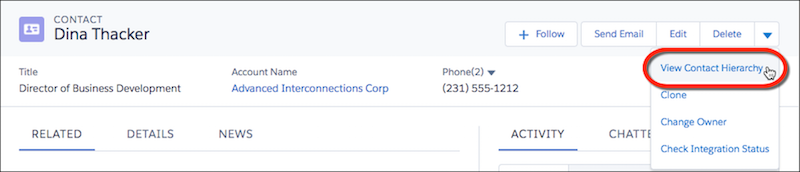 Sales reps can expand or collapse parts of a hierarchy as they navigate it. They can view up to 2,000 contacts from each point where they enter a hierarchy. To view contacts in a different part of the hierarchy, a sales rep can enter the hierarchy from a different contact.
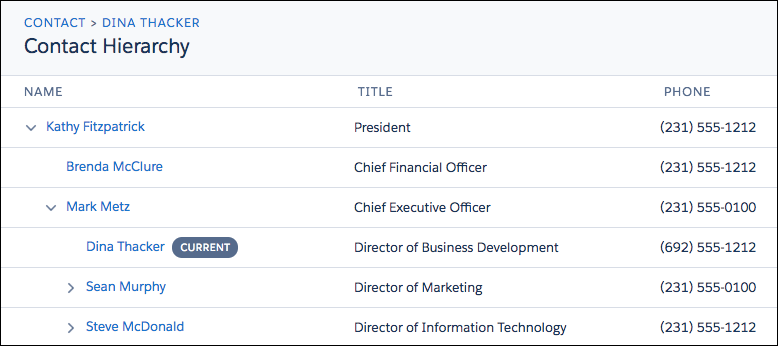 Hovering over a contact’s name shows more details.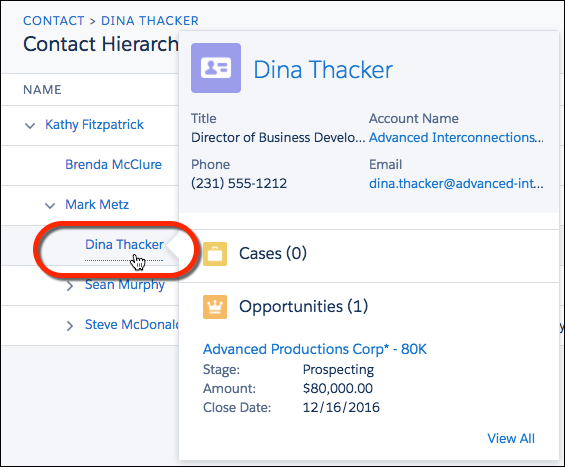
-
You can edit the hierarchy columns to show the information that’s most useful to your sales
reps.
- From Setup, at the top of the page, select Object Manager.
-
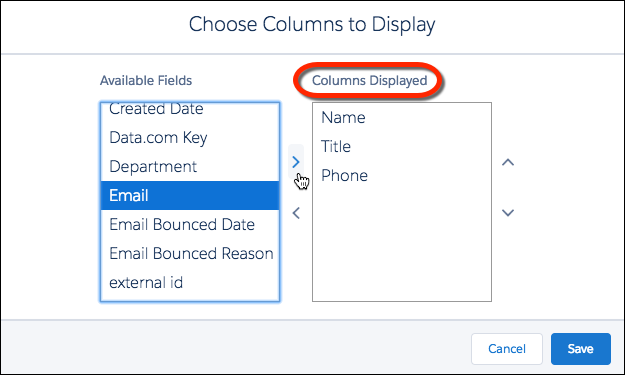
In Contact, click Hierarchy Columns and then edit the
columns.
You can include up to 15 columns.
By default, contact hierarchies display the same columns as the Recently Viewed Contacts standard list view. However, the list view columns don’t change when you customize the hierarchy column.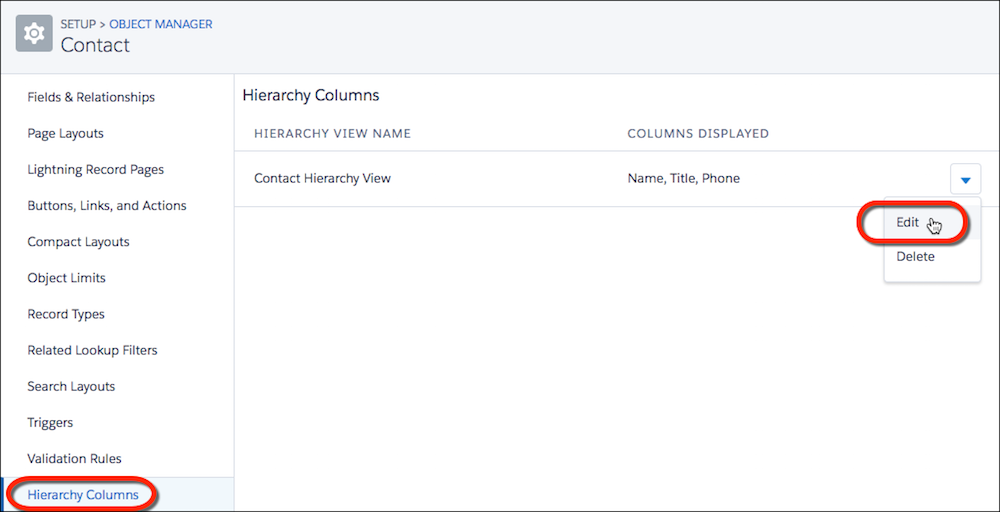

Note After you customize hierarchy columns, the item Org_Contact_Hierarchy is added to the
Contact list view menu. Deleting this item resets the columns to the defaults.