To organize campaigns and link them together, you can associate them with parent and child relationships in a campaign hierarchy. When you run reports, metrics from the child campaigns roll up to the parent.
Required Editions
| Available in: Salesforce Classic and Lightning Experience |
| Available in: Salesforce Professional, Enterprise, Performance, Unlimited, and Developer Editions |
| User Permissions Needed | |
|---|---|
| To view campaigns: | Read on campaigns |
| To view campaign hierarchies: |
Read on campaigns AND Read on the Parent Campaign field on campaigns |
| To add, edit, or delete hierarchy columns: | Modify All Data |
You can create a robust hierarchy up to five levels deep.
- Create or open the campaign record of a campaign that you want to use as a child.
-
In the Parent Campaign field, select the campaign to use as the parent.
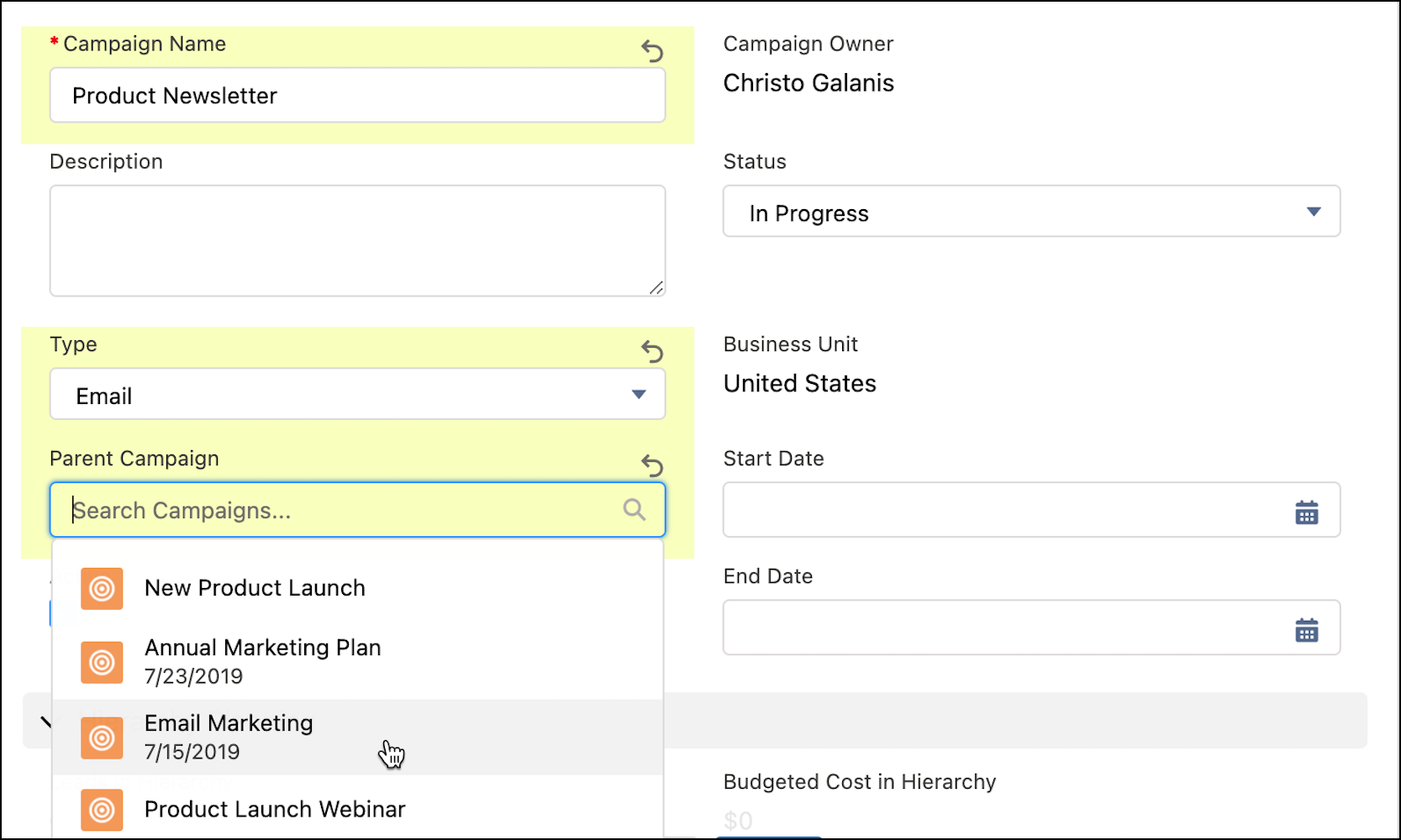
- To see where in the hierarchy a campaign appears, open the campaign record and click View Campaign Hierarchy.

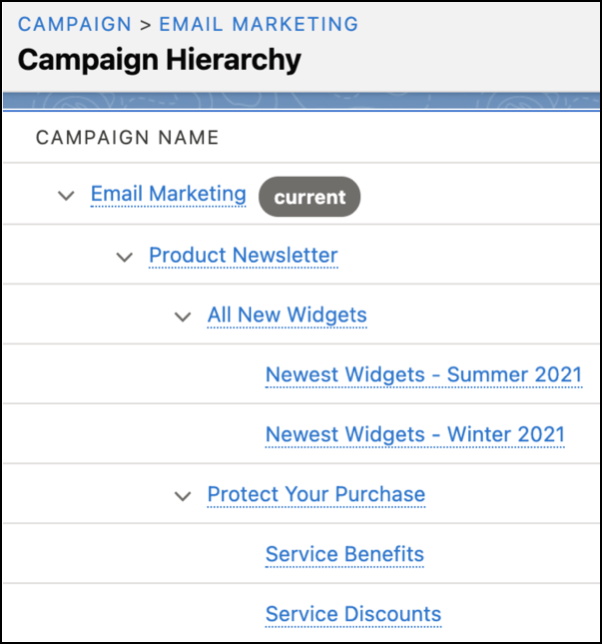
Christo wants to track his team’s email marketing efforts, so he creates the top-level campaign called Email Marketing. To organize his product communications, he creates several campaigns to use as parents: Product Newsletter, All New Widgets, and Protect Your Purchase. He also creates quarterly campaigns for new products and separate campaigns to promote service contracts. Each time he creates a new quarterly campaign, he adds the correct parent campaign.
For his campaign hierarchy, he makes Product Newsletter the parent campaign for All New Widgets and Protect Your Purchase. When he’s done, his hierarchy looks like this.