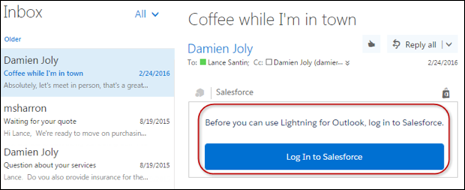
To view and work with Salesforce data in Microsoft® Outlook®, and to relate emails to
Salesforce records, reps must give Outlook access to Salesforce.
Required Editions
| Available in: Salesforce Classic and
Lightning Experience |
| Available with Sales, Service, and Lightning Platform in: Essentials,
Group, Professional, Enterprise, Performance,
Unlimited, and Developer Editions
|
-
In Outlook on the web, Outlook 2016, Outlook for Mac 2016, or Outlook 2013, your reps
select an email or an event in the calendar. Reps then select
Salesforce. A prompt appears for logging in to Salesforce.
-
After you log in to Salesforce, relevant records appear.