
To start using the integration with Gmail™, get the Salesforce extension from the Chrome Web Store and connect your email account.
Required Editions
| Available in: Salesforce Classic and Lightning Experience |
| Available with Sales Cloud, Service Cloud, and Lightning Platform in: Essentials, Group, Professional, Enterprise, Performance, Unlimited, and Developer Editions |
Complete these steps to the integration to the Chrome browser.

Tip The extension automatically updates with each Salesforce release. There’s no
need to get a new version of the extension when a new Salesforce release is
available.
-
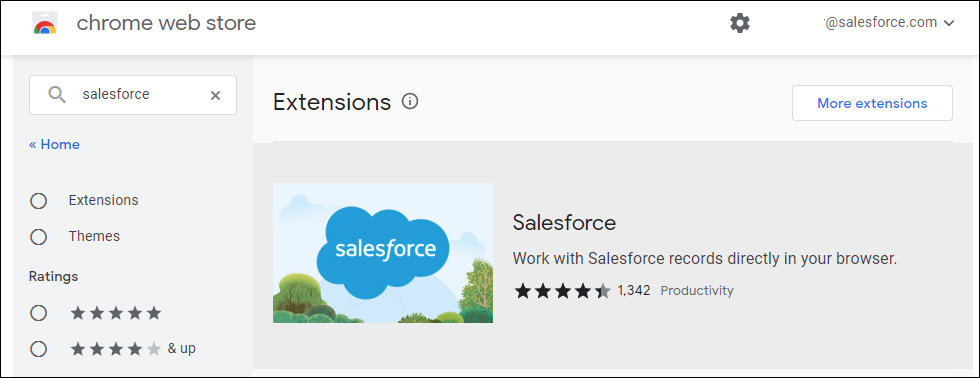
In the Chrome Web Store, enter
Salesforce in the Search box, then select
the Salesforce extension.
-
Click the icon, click Add to Chrome.

-
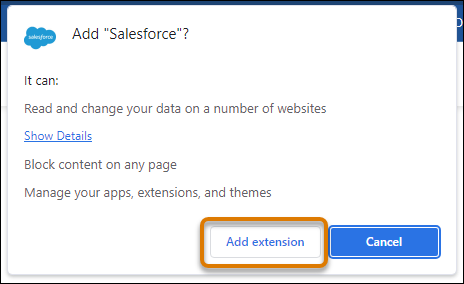
Click Add extension to add it to your Gmail account.
-
After adding the extension to Chrome and navigating to Gmail, enter your Salesforce
credentials in the new integration pane.
Tip For a better viewing experience, we recommend that you turn off Gmail’s People widget. For more support, visit Google’s support website.