
Starting Spring ’26, Einstein Activity Capture configured to use Microsoft Office 365 is automatically authenticated by using Microsoft Graph. Microsoft is retiring Exchange Web Services in October 2026 for Microsoft Office 365, and Microsoft Graph API replaces Exchange Web Services as a more advanced, secure, and scalable solution. Microsoft Graph exposes REST APIs and client libraries to access data on Microsoft Office 365.
Required Editions
| Available in: Lightning Experience |
| Available with Einstein Activity Capture Standard in Sales in Starter, Pro Suite, Professional, and Enterprise Editions |
| Available with Unlimited Edition, Einstein 1 Sales Edition, and Agentforce 1 Edition |
| Available with Einstein for Sales, which is included in Einstein 1 Sales Edition and available for an extra cost in Enterprise and Unlimited Editions |
| Available with Sales Engagement, which is included with Sales in Performance and Unlimited Editions, and available for an extra cost in Professional and Enterprise Editions |
| Available with Revenue Intelligence, which is available for an extra cost in Enterprise and Unlimited Editions |

Authentication Levels
Einstein Activity Capture supports Microsoft 365 authentication in three ways, each with a specific purpose.
- User-Level OAuth
- This authentication method requires each Einstein Activity Capture user to connect to their own Microsoft Office 365 account.
- Role-Based Access Control (RBAC) OAuth
- This authentication method combines OAuth’s delegated authorization with role-based
permissions. Users get access to resources not individually, but through predefined
roles defined within an app. You can configure the authentication mode for all Einstein
Activity Capture users at the same time. RBAC OAuth requires Azure setup as a
prerequisite.
RBAC OAuth authentication method isn’t available as an option while upgrading Einstein Activity Capture to Microsoft Graph API. To use RBAC OAuth, follow Change Microsoft Office 365 Authentication Level in Einstein Activity Capture.
- Application-Level OAuth
- This authentication method provides a broad, admin-approved access to an entire service instance. You can configure the authentication mode for all Einstein Activity Capture users at the same time.
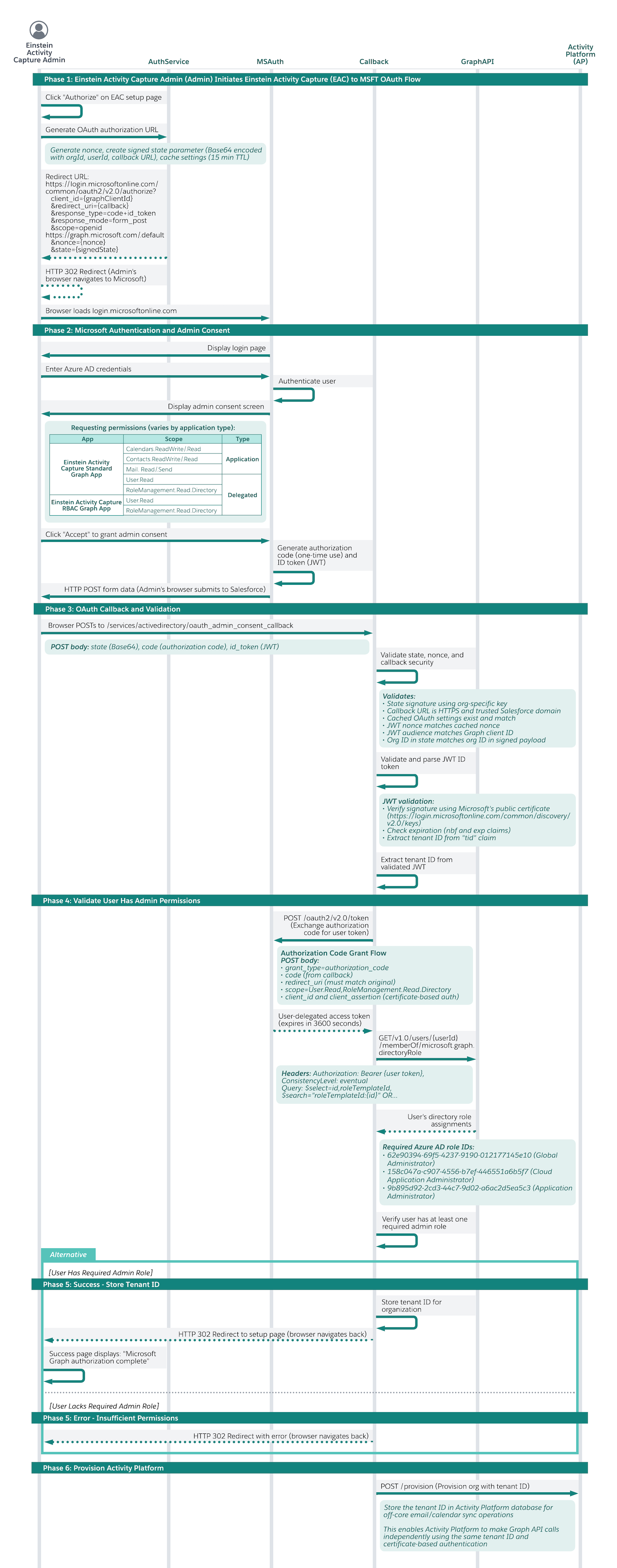
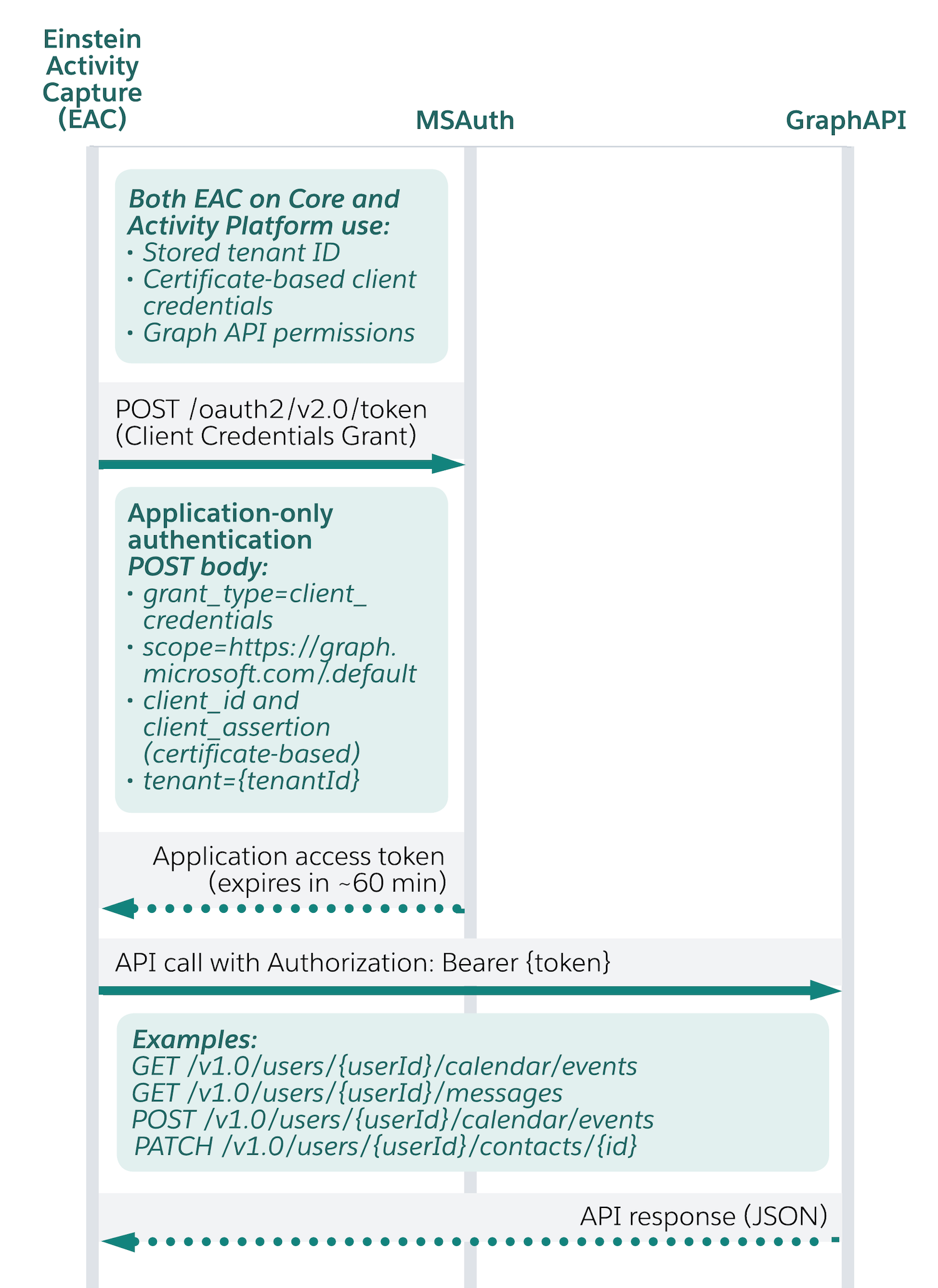
Einstein Activity Capture uses Client Credential Authentication flow as part of Microsoft Graph API authentication. Salesforce stores the certificate securely in a Salesforce managed vault and rotates it periodically.
Org-Level Authentication Process Between Einstein Activity Capture and Microsoft Graph API
Application-Level Authentication Sync Flow Between Einstein Activity Capture and Microsoft Graph API
App ID for Microsoft Graph Authentication
Before you upgrade to Microsoft Graph, make sure that your Azure admin grants the application permissions required to proceed with the upgrade. We recommend that an Azure admin use the Admin Consent flow to automate scope authorization for your org. This flow prevents individual users from having to manually authorize the upgrade. Granting application permissions in advance simplifies the upgrade and prevents admin and user confusion by removing the need for additional authentication. To initiate the flow, Azure admins can use these links.
| Authentication Level | App ID |
|---|---|
| Application-Level | https://login.microsoftonline.com/common/adminconsent?client_id=cbcb7087-72b9-4977-8dd7-aa803a5da602 |
| RBAC | https://login.microsoftonline.com/common/adminconsent?client_id=da3cd6f0-d438-40a4-8524-4cc3569a23b6 |
| User-Level (Einstein Activity Capture and Inbox) | https://login.microsoftonline.com/common/adminconsent?client_id=e535e657-0666-4ad5-940a-c3cf6296a541 |
Microsoft Graph API Calls
Salesforce makes these calls by using Microsoft Graph API to access emails, contacts, and events from Microsoft Office 365.
| Microsoft Graph API Call | Description |
|---|---|
| List messages | Fetches a list of email message IDs. |
| Get Message | Fetches detailed information about an email. |
| Create or Send draft message | Creates and sends an email. |
| List events | Accesses a list of calendar events. |
| Get event | Accesses information for a calendar event. |
| Create event | Creates an event in Microsoft Office 365. |
| Update event | Updates an event in Microsoft Office 365. |
| Delete event | Deletes an event in Microsoft Office 365. |
| Get contact | Accesses information for a contact. |
| Create contact | Creates a contact in Microsoft Office 365. |
| Update contact | Updates a contact in Microsoft Office 365. |
| Delete contact | Deletes a contact in Microsoft Office 365. |
Microsoft Graph Scope/Permission
For Einstein Activity Capture or Inbox to access data in Microsoft Graph, the admin must grant the necessary permissions. Einstein Activity Capture uses these delegated and application permissions from Microsoft Graph.
| Authentication Level | Scope/permission |
|---|---|
| Application-Level | Calendars.Read Application |
| Calendars.ReadWrite Application | |
| Contacts.Read Application | |
| Contacts.ReadWrite Application | |
| Mail.Read Application | |
| Mail.ReadWrite Application | |
| Mail.Send Application | |
| RoleManagement.Read.Directory Delegated | |
| User.Read Delegated | |
| User.Read.All Application | |
| RBAC | RoleManagement.Read.Directory Delegated |
| User.Read Delegated | |
| User-Level | Calendars.ReadWrite |
| User.Read | |
| openid | |
| profile | |
| offline_access | |
| Contacts.ReadWrite | |
| Mail.Read | |
| Mail.Send |