
Learn how Agentforce Account Management helps sales teams to research accounts, identify strategic opportunities, and keep account fields up to date.
Required Editions
| Available in: Lightning Experience |
| Available in: Enterprise, Performance, Unlimited, and Developer Editions with the Agentforce for Sales or Agentforce for an Industry add-on, or included in Agentforce 1 Sales or an Industry Edition. Requires each user to have the Agentforce for Sales or Agentforce for an Industry add-on to access the actions. |
Research Accounts and Plan Your Next Moves
With Account Management, the Sales agent uses specialized subagents to research accounts in depth, summarize recent interactions, and recommend next steps. The agent draws on internal data, such as opportunities, service cases, contacts, and account plans, and on external web data, such as company news and industry trends. Use the agent to help with these tasks.
- Automated research: Ask the agent to search for recent news, financial results, and strategic priorities for an account, and to create account briefs that help you prepare for meetings.
- Interaction summarization: Get summaries of recent calls, emails, and notes. The agent identifies key themes so that you're up to date on the customer relationship.
- Strategic planning: Ask the agent to recommend next steps, to generate a strategic point of view, or to suggest objectives for your account plan based on the customer's challenges and industry trends.
- Unified insights: Access insights from opportunities, service cases, and other records in a single conversational panel, so you spend less time switching between records.
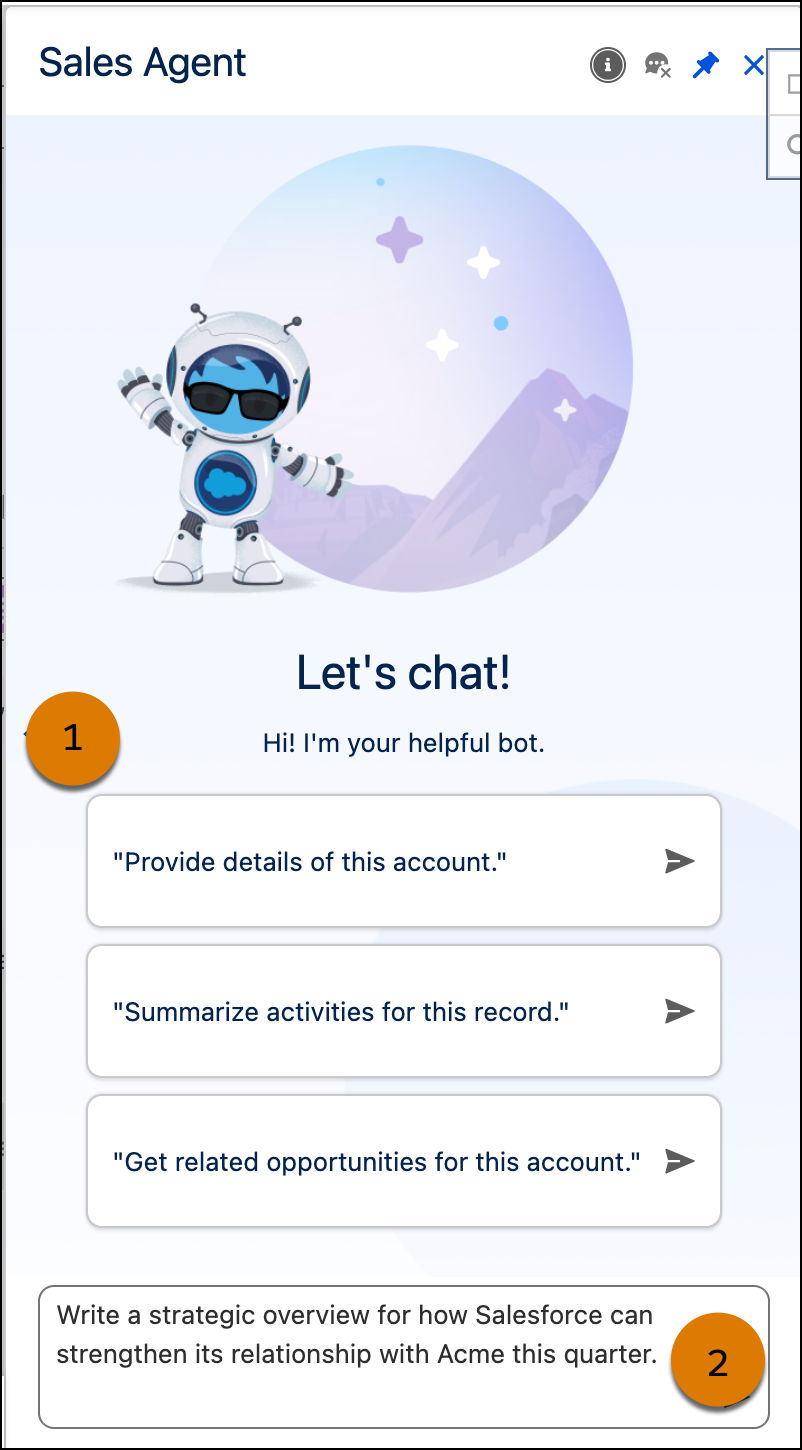
In Salesforce, chat with the agent in the Agentforce panel. Select a recommended question (1) or ask your own question (2).
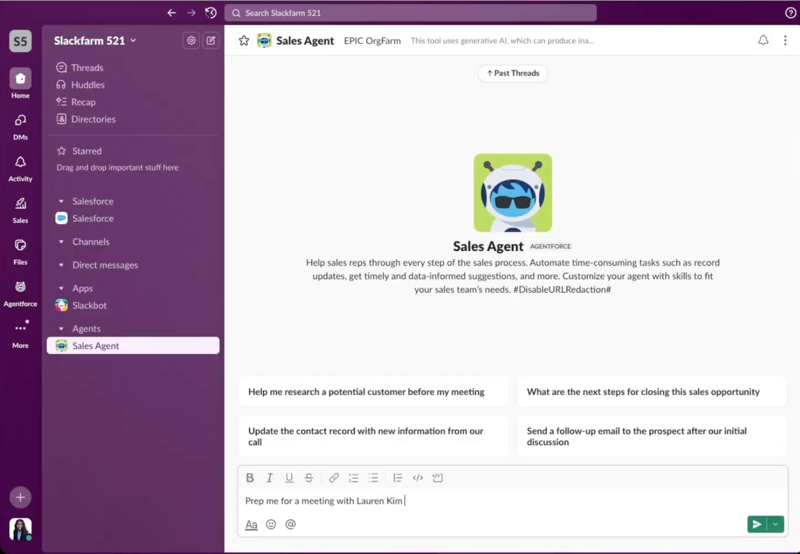
After your admin adds the agent to Slack, chat with the agent directly in your flow of work. The recommended questions change depending on which Agentforce features are turned on. Ask the agent to help you prepare for meetings, get account updates, and so on.
Keep Account Fields Up to Date
You can also use Account Management to keep account text fields current based on information from recent notes, calls, and emails. Depending on how your admin sets up each field, the field is updated automatically or you review and accept suggested updates.
See field update suggestions and automatic updates in the Account Intelligence view. Act on a suggestion from its status in the Agent Activity column (1) or review it in more detail in the side panel (2).
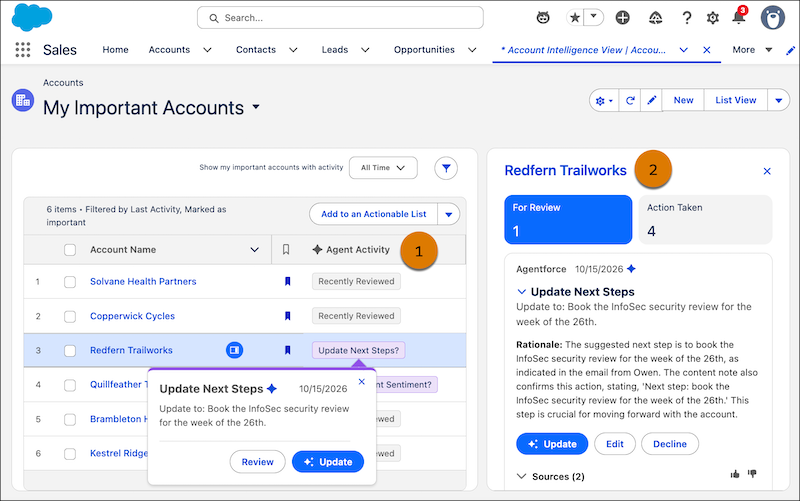
Accept, decline, or edit a suggestion from the side panel. You can also view the rationale and sources used, so you can be confident that it’s grounded in relevant data about the opportunity.
Notifications for account field updates aren't available in Slack.