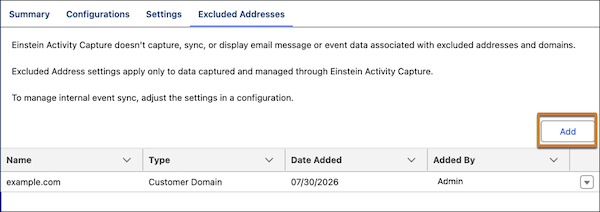
Use keywords to automatically detect and exclude from capture emails that contain specific words or phrases. Use wildcard rules to exclude calendar events and email messages associated with specific web domains. Also, sensitive data detection now excludes emails with the word 'confidential' as a prefix in Outlook and Gmail message subjects. Outlook messages with a sensitivity level value of ‘confidential’ or ‘private’ are excluded. Previously, Einstein Activity Capture supported only exact-match for domain exclusions, and sensitive data detection only excluded email with certain personally identifying information included in the body of the message.
Where: This change applies to Lightning Experience in Starter Suite, Pro Suite, Professional, Enterprise, Unlimited, Einstein 1 Sales, and Agentforce 1 Sales editions. Einstein Activity Capture is also available with the Einstein for Sales, Sales Engagement, and Revenue Intelligence add-ons.
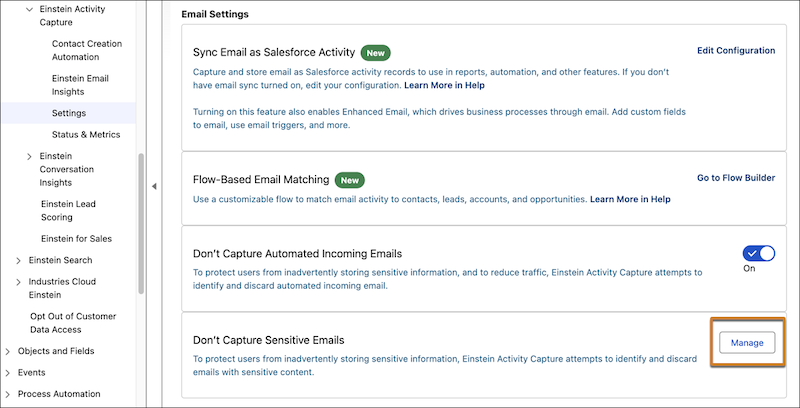
How: In Setup, in the Quick Find box, enter and select Einstein Activity Capture. To add keyword exclusions, in Settings, go to Don't Capture Sensitive Emails, and click Manage and then Add. Keyword exclusions support single-word entries, phrases, and regular expressions.
To manage internal and external domain exclusions, in Settings, go to Excluded Addresses. Domain exclusions support wildcard rules.