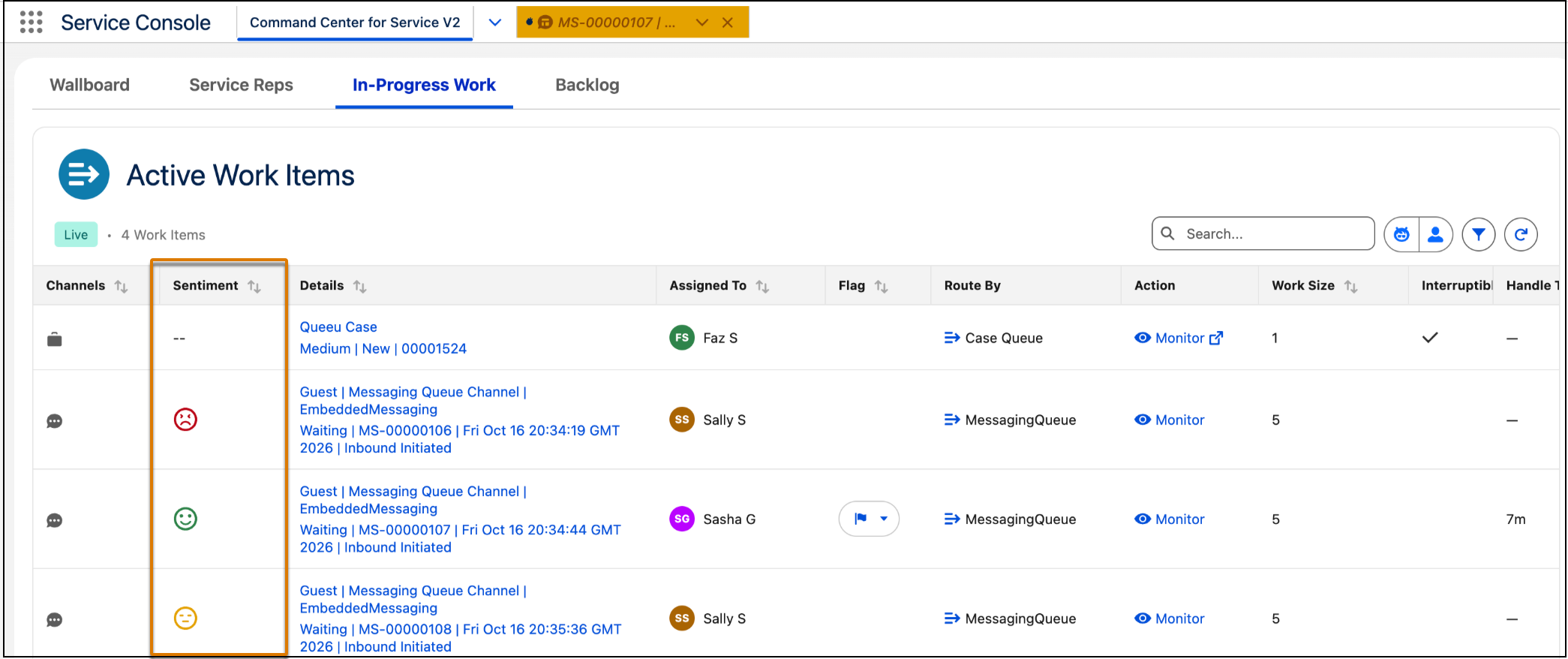
Spot at-risk interactions as they happen in the Command Center for Service V2. Customer Signals Intelligence sentiment appears in the In-Progress Work component as the User Sentiment column, with Positive, Neutral, or Negative indicators next to active work items.
Where: This feature is available in Lightning Experience in Enterprise, Unlimited, and Developer editions for Enhanced Omni-Channel orgs with Command Center for Service V2 turned on. You also need the Customer Signals Intelligence Add-On or Service Rep Assistant.
Who: To view the Sentiment column, supervisors need the Access Command Center for Service V2 permission . To configure component columns in the Lightning App Builder, admins need the Customize Application permission.
How: In the Lightning App Builder, add the Sentiment column to the In-Progress Work component.